BenchJS
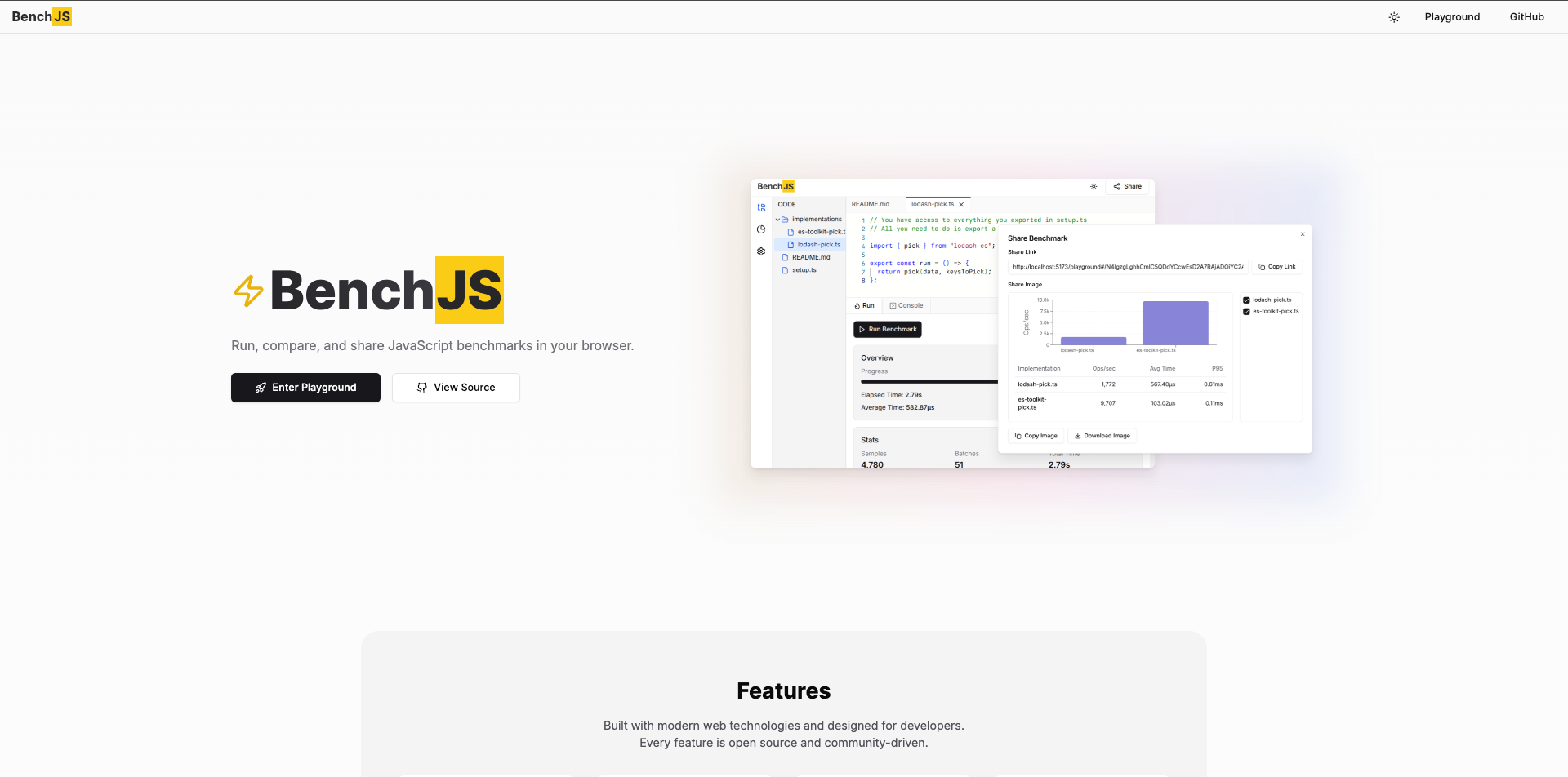
Run compare and share Javascript benchmarks in your browser. This sounds typical but in general, it's the calculation of time complexity for javascript methods to run and analyse the benchmarks.
- zero setup
- Typescript support
- Realtime analysis and calculations
- Share the benchmark results (this is interesting)
How to use it?
- Set Up Your Project:
- Create a new directory for your BenchJS project.
- Inside this directory, create your setup.ts file and one or more implementation files in an implementations folder.
- Write Your Setup Code:
- In setup.ts, define any data generation functions or utilities that will be shared across your implementations.
- Implement Your Benchmark Code:
- In each implementation file, export a run function that contains the code you want to benchmark. Use any helper functions or data defined in setup.ts.
- Import External Libraries (if needed):
- If you want to use external packages, configure them in BenchJS settings and import them into your implementation files.
- Run Your Benchmarks:
- Execute your benchmarks using BenchJS, which will measure the performance of each implementation and provide insights into their efficiency.
Project Structure
A typical BenchJS project consists of the following files:
- setup.ts: This file contains setup code and shared utilities that can be accessed globally across all implementation files.
- implementations/*.ts: These are individual implementation files where you write the benchmark code for different algorithms or functions.
Setup File: setup.ts
The setup.ts file is crucial as it prepares the data and defines helper functions that can be reused across various implementations. Here’s a breakdown of the sample code provided:
// Generate test data
export const generateData = (size: number) => {
  return Array.from({ length: size }, (_, i) => i);
};

// Export data and helpers
export const data = generateData(1000);
export const sum = (a: number, b: number) => a + b;
Key Components
- Data Generation:The generateData function creates an array of numbers from 0 to size - 1. In this case, it generates an array of 1000 elements.
- Shared Helpers:
Implementation Files: implementations/*.ts
Each implementation file should export arunfunction that contains the code you want to benchmark. Here’s an example:
export const run = () => {
  // Your implementation here
  return data.reduce(sum, 0);
};
The run function uses the reduce method on the data array to calculate the sum of all its elements using the previously defined sum function. This simple benchmark allows you to measure how efficiently your implementation performs this operation.
Using External Packages
BenchJS supports importing external packages from ESM (ECMAScript Modules). You can configure these packages on the settings page and then import them into your implementation files. Here’s how you can do it:
import { pick } from "lodash-es";

export const run = () => {
  return pick(data, ["id", "name"]);
};
In this example, we import the pick function from the popular Lodash library. The run function uses pick to create a new object containing only specific properties (in this case, "id" and "name") from the data.
Summary
BenchJS facilitates browser-based JavaScript benchmark creation, comparison, and sharing. Itleverages TypeScript, enabling real-time performance analysis. Users define benchmarks insetup.ts and implementations/*.ts files. setup.ts houses data generation and shared utilities. Implementation files export run functions containing benchmark code. BenchJS supports external ESM packages, enhancing benchmark capabilities. Shared functions improve code reusability. BenchJS provides efficientJavaScript performance analysis.BenchJS facilitates browser-based JavaScript benchmark creation, comparison, and sharing. Itleverages TypeScript, enabling real-time performance analysis. Users define benchmarks insetup.ts and implementations/*.ts files. setup.ts houses data generation and shared utilities. Implementation files export run functions containing benchmark code. BenchJS supports external ESM packages, enhancing benchmark capabilities. Shared functions improve code reusability. BenchJS provides efficientJavaScript performance analysis.