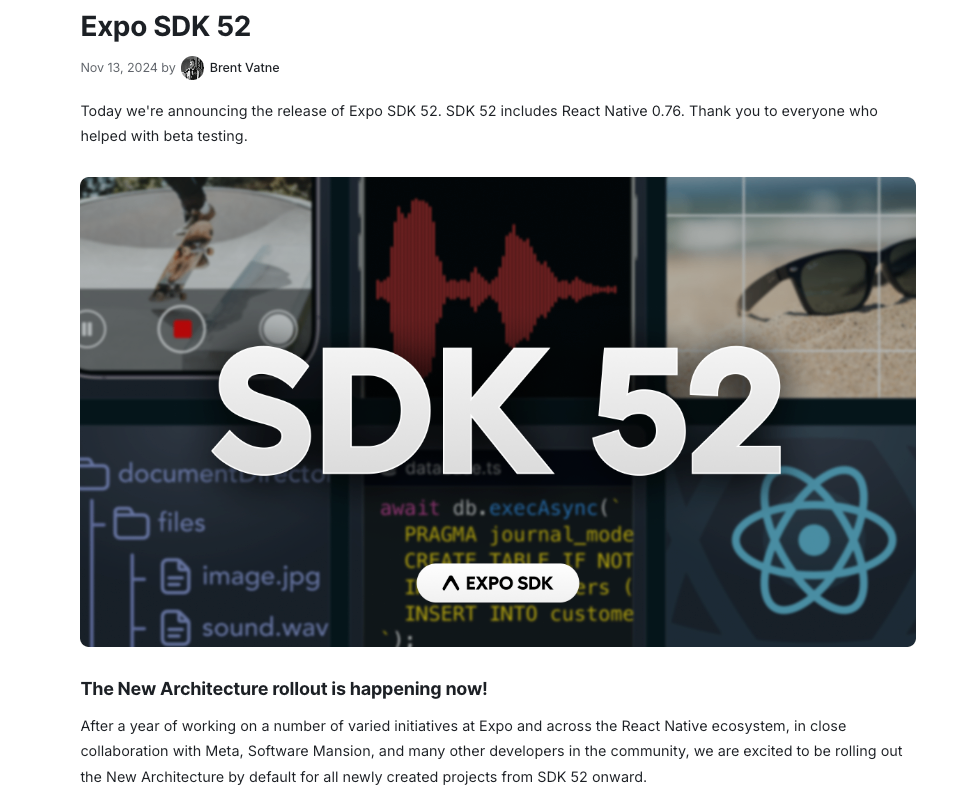
Everything else in this roadmap sits on a clean Expo project. In this chapter you create it, run it on a device, and give your agent a folder layout and commands it can rely on.
Core concepts
- Create the project: Run
npx create-expo-app@latestand choose the default template, which comes with TypeScript and Expo Router. Start the dev server withnpx expo startand scan the QR code with Expo Go for a first look. — Create a project - Folder layout: Routes live in
app/(file-based), shared UI incomponents/, hooks and services inlib/orhooks/, static files inassets/. A predictable layout lets the agent put new code in the right place. — Expo Router intro - Environment variables: Variables prefixed with
EXPO_PUBLIC_are bundled into the app and readable by anyone who downloads it. Use them for public keys such as a Supabase anon key, never for secrets. — Expo env vars - TypeScript, lint and doctor: Run
npx tsc --noEmit,npx expo lintandnpx expo-doctorafter agent changes. They catch type errors, style problems and mismatched dependency versions. — Expo TypeScript guide - Use
npx expo install: Install native packages withnpx expo install <pkg>so Expo picks a version compatible with your SDK. Plainnpm installcan pull a version that crashes at runtime. — Expo docs - Git from minute one: Initialise git, ignore
.envfiles and build folders, and commit after the project first runs. This is your first save point. — Expo docs
Concept videos
YouTube channels and searches for these topics. On a large screen they open in the reading panel next to the roadmap.
- Expo setup walkthroughs — Expo channel
- Expo project from scratch — YouTube search: create expo app from scratch 2026
Explanation
The default template is enough
Resist adding libraries on day one. Start with the default template, get a screen on your phone, then add NativeWind, state and a backend one at a time so you know which step broke something.
The four commands the agent should know
Start (npx expo start), typecheck (npx tsc --noEmit), lint (npx expo lint) and doctor (npx expo-doctor). Put them in AGENTS.md or CLAUDE.md and require them before the agent says a task is finished.
Public vs secret configuration
Anything compiled into the bundle can be extracted. Server secrets live in a backend, edge function or EAS secret, and the app only calls that backend.
What Is It?
An Expo project is a React Native app with a router, a dev server and a curated set of native modules, scaffolded by create-expo-app.
Why Should I Care?
A predictable structure and verification commands let an agent add features without scattering files or breaking builds.
Real World Analogy
The project folder is a kitchen with labelled shelves: if every tool has a home, the new cook (your agent) can find and return things without asking.
Visual Mental Model
app/        screens (routes)
components/ shared UI
lib/        data + helpers
assets/     images, fonts
.env        public config only
Beginner Explanation
Run create-expo-app, start the dev server, open it on your phone, commit, then write the four verification commands into your agent file.
Smallest Possible Example
npx create-expo-app@latest my-app
cd my-app
npx expo start
npx expo install expo-secure-store
npx tsc --noEmit && npx expo lint
Common Mistakes
❌ Putting API secrets in EXPO_PUBLIC_ variables.
They ship inside the app binary. Call your own backend instead.
❌ Installing native packages with npm install.
Use npx expo install so versions match your SDK.
❌ Letting the agent restructure folders mid-feature.
Agree the layout up front and write it into your rules file.
Real Project Example
Most Expo apps start from the default template and grow lib/ and components/ as features arrive; the structure above mirrors Expo's own documentation.
Build This Mini Project
Create a project, add a lib/ folder and an AGENTS.md that lists the four commands, then ask your agent to add a Home tab and run all four commands before reporting done.
Interview Question
Why use npx expo install instead of npm install for native modules?
Expo resolves the version that is compatible with your installed SDK, avoiding native-module mismatches that cause runtime crashes.
Key Takeaways
- Start from the default template.
- Use npx expo install for native packages.
- EXPO_PUBLIC_ means public.
- Typecheck, lint and doctor after every agent step.
Stack for this step
| Layer | Pick | Why |
|---|---|---|
| Scaffold | create-expo-app | Official template with TypeScript and Expo Router. |
| Checks | tsc, expo lint, expo-doctor | Fast feedback for agent changes. |
| Config | EXPO_PUBLIC_ variables | Public values only. |
Prompts for Cursor, Claude Code & Codex
Paste these into Cursor, Claude Code, Codex, or any coding agent. Replace the bracketed parts with your app details, and keep the agent in plan mode first so you review the approach before it edits files.
Scaffold and verify
Create a new Expo app named [name] with TypeScript and Expo Router. Initialise git, add a .gitignore that excludes .env files, write AGENTS.md with the start/lint/typecheck/doctor commands, run them, and report the results.Environment setup
Add an .env.example with EXPO_PUBLIC_API_URL and EXPO_PUBLIC_SUPABASE_URL placeholders. Create lib/config.ts that reads them and throws a clear error if one is missing. Never put secrets in these variables.Claude Code skill for this step
Save this as .claude/skills/verify-expo-changes/SKILL.md in your project so Claude Code loads it automatically when the task matches. The same text works as a Cursor rule or an AGENTS.md section.
---
name: verify-expo-changes
description: Use after any code change in the Expo app, before reporting a task as done.
---
1. Run npx tsc --noEmit and fix errors.
2. Run npx expo lint and fix warnings you introduced.
3. Run npx expo-doctor and resolve dependency issues.
4. Report the three results and anything you could not verify on a device.
Rules, databases & blogs to use
- Expo SDK upgrade story: real upgrade notes
- React Native Expo rule: Expo conventions
- Expo + Jest + Detox rule: project setup with tests
- SaaS starter kit lessons: why starters save weeks
Resources
The 60-second story
Before you cook a feast you tidy the kitchen: knives on one wall, pans on another, a label on every shelf. The project folder is that kitchen. When your agent walks in and sees app/ for screens, components/ for shared pieces and lib/ for data code, it puts every new dish in the right place.
The four commands are the taste test after each course: typecheck, lint, doctor and a run on your phone. Nothing leaves the kitchen without passing them.
Mental model: a labelled kitchen plus a taste test after every dish.