You can prompt an agent to build screens without knowing how a phone app runs, but you cannot debug or review what it produces. This chapter gives you just enough mobile mental model to ask better questions and spot bad answers.
Core concepts
- Native vs cross-platform: Native apps use Swift/Kotlin per platform. Cross-platform frameworks such as React Native let one TypeScript codebase run on iOS and Android with native UI components underneath. — React Native docs
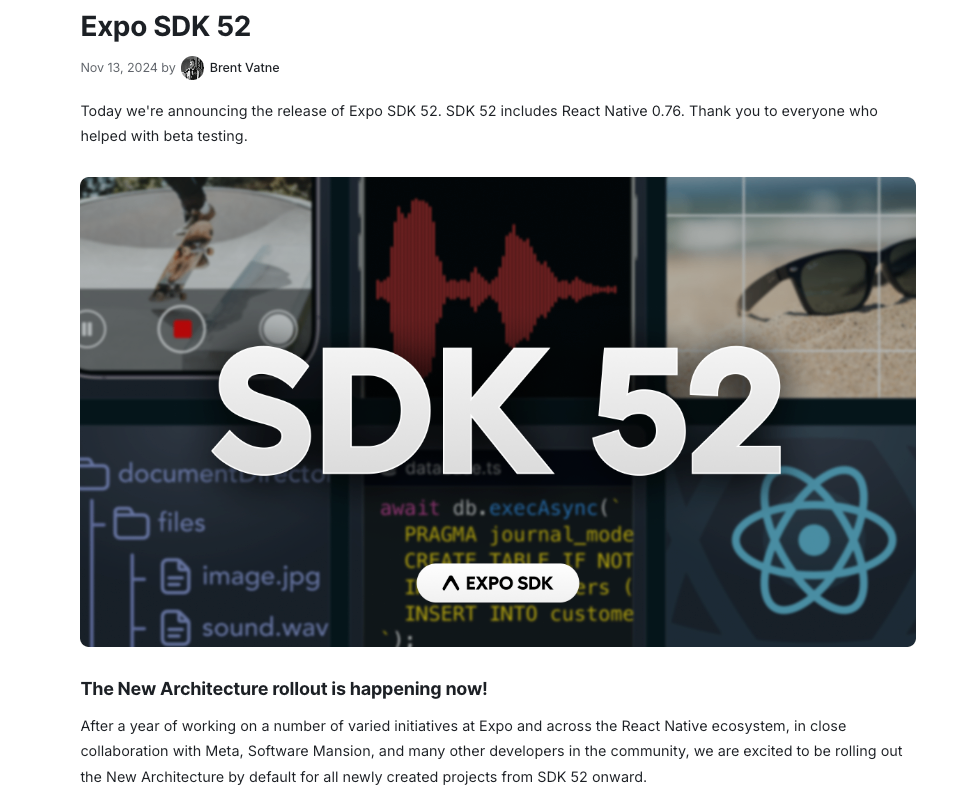
- React Native + Expo: React Native renders real native views from React components. Expo adds tooling, a router, and managed native modules so you rarely touch Xcode or Android Studio directly. — Expo docs
- App lifecycle: Apps move between active, background and terminated states. Timers pause, sockets drop and memory can be reclaimed, so anything important must be saved and resumable. — React Native AppState
- Permissions: Camera, location, notifications and photos require explicit user permission with a clear reason string. Ask at the moment of need, and handle denial gracefully. — Expo permissions overview
- Safe areas and layout: Notches, status bars and home indicators cut into the screen. Use safe-area insets and flexbox, and test on small and large phones. — Safe area context
- Platform differences: iOS and Android differ in navigation gestures, fonts, keyboards, permissions and back-button behaviour. Test both; do not assume parity. — Apple HIG
- Stores and the release pipeline: Apps ship through Apple's App Store and Google Play with review, signing and privacy declarations. Plan for review time before a launch date. — App Store Review Guidelines
Concept videos
YouTube channels and searches for these topics. On a large screen they open in the reading panel next to the roadmap.
- React Native basics — Expo channel
- Mobile app tutorials — notJust.dev channel
- Expo for beginners — YouTube search: Expo React Native beginner course
Explanation
How React Native draws a screen
Your components describe a tree of views. The framework turns it into real native UI on each platform, so a View becomes a native container and Text a native text label. That is why apps feel native and why layout rules (flexbox, no CSS cascade) differ from the web.
Why Expo is the default starting point
Expo gives you a dev server, file-based routing, a library of tested native modules, and cloud builds. You can start on a phone with no native toolchain and add custom native code later through development builds.
Thinking in screens and state
A mobile app is a stack of screens, each reading some state and sending actions. If you can draw the screen map and list what data each screen needs, you can prompt an agent precisely.
What Is It?
A mobile app is code that runs on a phone with access to its sensors, storage and notifications, distributed through the stores.
React Native with Expo lets web-style developers build both iOS and Android apps from one codebase.
Why Should I Care?
Knowing the lifecycle, permission and store basics lets you catch the bugs agents commonly introduce: lost state, missing permission strings, and layouts that break on small screens.
Real World Analogy
A phone app is a shop in a mall: the mall (iOS or Android) sets opening hours, signage rules and security checks; you only control what happens inside your unit.
Visual Mental Model
TypeScript + React components -> React Native -> Native views on iOS and Android
         |
       Expo tooling (router, modules, builds)
Beginner Explanation
Pick Expo, draw your screen map on paper, list the data each screen needs, and ask your agent to build them one at a time while you test on a real phone.
Smallest Possible Example
import { View, Text } from 'react-native';
import { SafeAreaView } from 'react-native-safe-area-context';

export default function Home() {
  return (
    <SafeAreaView style={{ flex: 1 }}>
      <View style={{ padding: 16 }}>
        <Text>Hello mobile</Text>
      </View>
    </SafeAreaView>
  );
}
Common Mistakes
❌ Treating the simulator as the final test.
Real devices expose permissions, performance and keyboard issues the simulator hides.
❌ Using web-only libraries or CSS assumptions.
React Native has no DOM; ask the agent for React Native or Expo compatible packages and check the library's native support.
❌ Ignoring the back gesture and keyboard.
Both platforms have conventions users expect; test them on every form.
Real Project Example
Many shipping apps, from startups to large brands, are built with React Native; Expo is the recommended way to start per the React Native docs.
Study apps in our Top Mobile Apps database to see which categories and designs work.
Build This Mini Project
Draw a screen map for an app idea (max five screens), list the data on each, and write it as SPEC.md. Ask an agent to critique it for missing states (empty, loading, error).
Interview Question
What is the difference between React Native and a webview wrapper?
React Native renders real native UI components driven by JavaScript, while a webview wrapper shows a web page inside an app shell with web rendering and web performance limits.
Key Takeaways
- Expo + React Native is the fastest cross-platform path.
- Apps pause, resume and get killed; persist what matters.
- Ask permissions in context and handle refusal.
- Test on both platforms and on real devices.
Stack for this step
| Layer | Pick | Why |
|---|---|---|
| Framework | React Native + Expo | One codebase, native UI, great tooling. |
| Language | TypeScript | Types help agents and reviewers catch mistakes. |
| Devices | Real iPhone and Android | Truth beats simulators. |
Prompts for Cursor, Claude Code & Codex
Paste these into Cursor, Claude Code, Codex, or any coding agent. Replace the bracketed parts with your app details, and keep the agent in plan mode first so you review the approach before it edits files.
Draw the screen map
Based on SPEC.md, produce a screen map: list each screen, its purpose, the data it reads and writes, and the navigation between screens. Include empty, loading and error states. Output as a table.Mobile-specific review
Review this screen for mobile issues: safe areas, keyboard overlap, small-screen layout, permission handling, and back-gesture behaviour on iOS and Android. List problems with file and line.Claude Code skill for this step
Save this as .claude/skills/mobile-review-checklist/SKILL.md in your project so Claude Code loads it automatically when the task matches. The same text works as a Cursor rule or an AGENTS.md section.
---
name: mobile-review-checklist
description: Use when reviewing any screen or feature for mobile-specific problems.
---
1. Check safe-area handling and keyboard behaviour.
2. Check permission prompts have reason strings and denial paths.
3. Check lifecycle: what happens on background and relaunch.
4. Check layout on a small and a large device size.
Rules, databases & blogs to use
- Top mobile apps database: study rankings and categories
- Expo SDK upgrade notes: what a real Expo upgrade looks like
- Mobile Cursor rules: mobile rules by technology
- Universo: discover useful mobile tools and sites
Resources
The 60-second story
Imagine opening a food stall at a night market. The market sets the opening hours, the stall size and the safety checks. You decide the menu, the sign and the queue. Phones work the same way: iOS and Android own the screen, the battery, the permissions and the app store, and your app is the stall inside it.
React Native and Expo are a ready-made stall kit: stove, counter and lights that already meet market rules, so you spend your time on the menu instead of welding. When the market closes early (your app goes to the background), you pack up what matters so you can reopen without losing orders.
Mental model: the phone is the landlord, Expo is the stall kit, and your job is the menu.