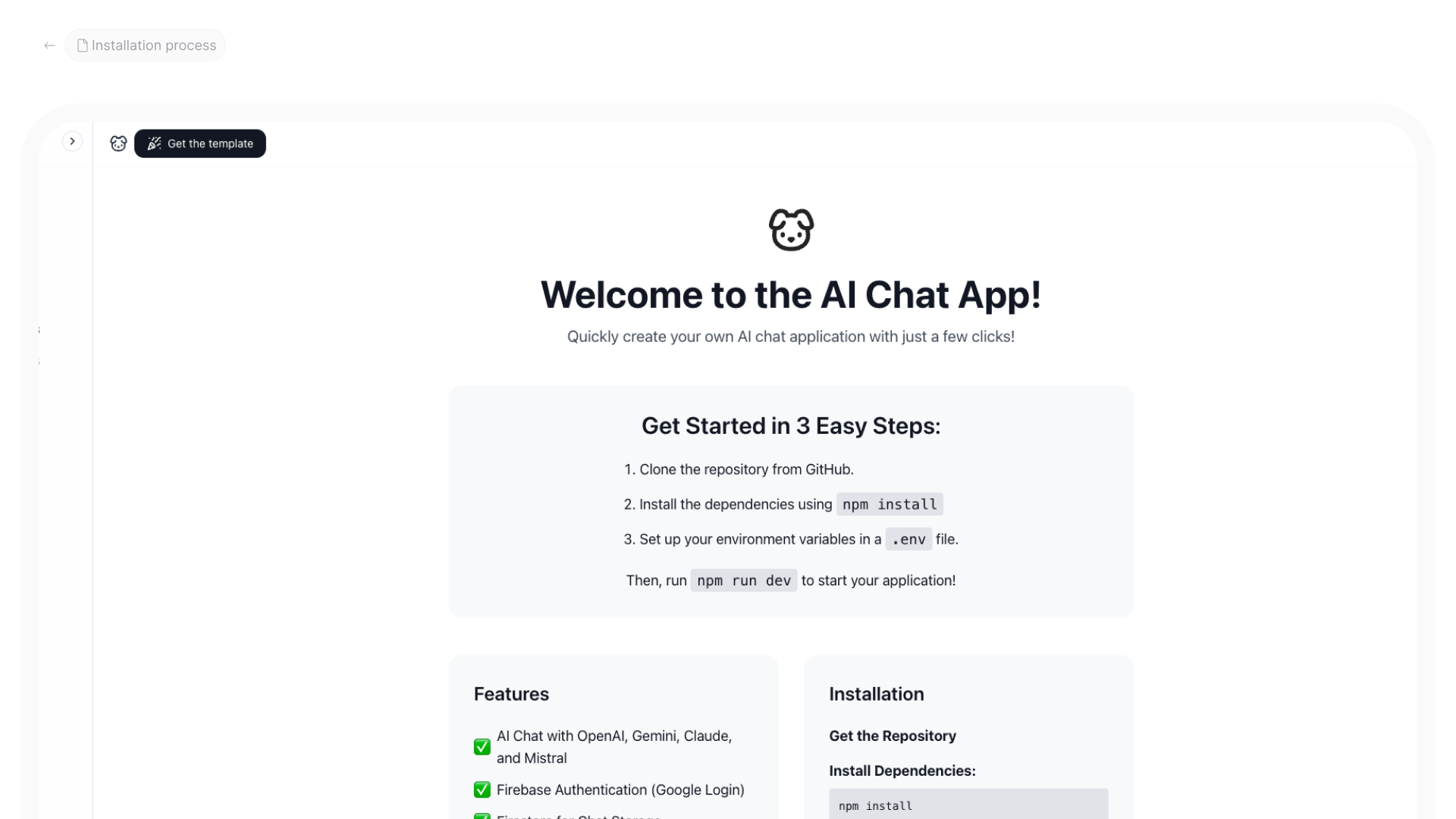
The story begins when the vercel AI SDK is released. In this tutorial, I’ll write about building your AI chat app.
Getting Started
Installing next.js, tailwind and other required packages
The tools we will be using are as follows
- Next.js is a full-stack frontend framework
- Reactjs as the language
- Tailwind CSS for styling
- Vercel AI SDK
- Firebase as a database and authentication
- Redux for storage management
Next.js gets the starter code repository, I am using the same for all my projects and templates on iHateReading.
Installation
Every package mentioned above has its own installation process.
- Nextjs can be installed using yarn add next with react and react-dom
- Tailwind CSS can be installed using yarn add @tailwindcss and needs 2 files to add the tailwind config and the postcss config
- Redux can be installed using yarn add @redux/toolkit and needs store connect and slices methods, and using redux-persist to store in local storage
- Firebase can be installed using yarn add firebase
- Vercel AI SDK can be installed using yarn add ai @ai-sdk for a specific LLM model, for example, @ai-sdk/openai, @ai-sdk/google and so on
These steps are just the initialisation or installation process. This will take some time.
Chat App
Vercel AI SDK is the provider, and nextjs provides server-side API endpoint support to easily integrate and invoke API calls to LLM models and get the response.
Next.js server-side API endpoints provide ways to stream the LLM response or AI response in real-time on the client side, and we will be executing the same.
Vercel AI SDK provides 3/4 packages to integrate and use the LM models API, for example,
- AI by vercel itself to get the stream response fromthe API
- @ai-sdk/google for Google Gemini
- @ai-sdk/openai for OpenAI
- @ai-sdk/anthropic for Anthropic
Read more here, https://ai-sdk.dev/docs/introduction
Each can be installed easily using yarn or npm
Once this is installed, we will create an endpoint and then move toward the frontend for rendering the API response on the client side
API endpoint/AI LLM Integration
This endpoint will take a user prompt and invoke an LLM API call using the Vercel AI SDK provider and stream the response.
The code below is the production-based code and will be explained below
import { createOpenAI } from "@ai-sdk/openai";
import { convertToCoreMessages, smoothStream, streamText } from "ai";
import { createAnthropic } from "@ai-sdk/anthropic";
import { createGoogleGenerativeAI } from "@ai-sdk/google";
import { createMistral } from "@ai-sdk/mistral";

const openai = createOpenAI({
 apiKey: process.env.NEXT_PUBLIC_OPENAI_API_KEY,
});

const anthropic = createAnthropic({
 apiKey: process.env.NEXT_PUBLIC_ANTHROPIC_API_KEY,
});

const google = createGoogleGenerativeAI({
 apiKey: process.env.NEXT_PUBLIC_GOOGLE_API_KEY,
});

const mistral = createMistral({
 apiKey: process.env.NEXT_PUBLIC_MISTRAL_API_KEY,
});

export const dynamic = "force-dynamic";

function selectModel(model) {
 const models = {
  google: "gemini-1.5-flash",
  openai: "gpt-4o-mini",
  mistral: "mistral-large-latest",
  anthropic: "claude-3-5-sonnet-latest",
 };
 const modelName = models[model];
 let modelProvider;
 switch (model) {
  case "openai":
   modelProvider = openai(modelName);
   break;
  case "anthropic":
   modelProvider = anthropic(modelName);
   break;
  case "google":
   modelProvider = google(modelName);
   break;
  case "mistral":
   modelProvider = mistral(modelName);
   break;
  default:
   modelProvider = openai(modelName);
 }
 return modelProvider;
}

export default async function handler(req, res) {
 if (req.method !== "POST") {
  return res.status(405).json({ error: "Method Not Allowed" });
 }

 try {
  const { messages, model, temperature } = req.body;
  // let modelProvider = selectModel(model); // use in the production
  let modelProvider = selectModel(model); // use the selected model provider
  const result = streamText({
   model: modelProvider, // change to use the dynamically selected model provider
   system: "You are a helpful assistant.",
   messages: convertToCoreMessages(messages),
   maxSteps: 5,
   temperature,
   experimental_transform: smoothStream({ chunking: "word" }),
  });
  for await (const chunk of result.textStream) {
   res.write(chunk);
  }
  res.end();
 } catch (error) {
  console.error("API Error:", error);
  return res
   .status(500)
   .json({ error: "Internal Server Error", details: error.message });
 }
}
In the above code, first, we are importing all the providers from the respective packages
Then we create a simple POST request endpoint, and inside it, we extract the body parameters that provide us the prompt provided by the user.
Then we invoke the streamText method by the Vercel AI SDK, and in the last we are sending the response back as a return object.
We are also trying to catch the error using try try-catch module in JavaScript.
const { messages, model, temperature } = req.body;
  // let modelProvider = selectModel(model); // use in the production
  let modelProvider = selectModel(model); // use the selected model provider
  const result = streamText({
   model: modelProvider, // change to use the dynamically selected model provider
   system: "You are a helpful assistant.",
   messages: convertToCoreMessages(messages),
   maxSteps: 5,
   temperature,
   experimental_transform: smoothStream({ chunking: "word" }),
  });
  for await (const chunk of result.textStream) {
   res.write(chunk);
  }
  res.end();
The above code is important, streamText takes and param object with model, system and other key values.
We will understand each one by one, but you can read them on the actual website
https://ai-sdk.dev/docs/reference/ai-sdk-core/stream-text?ref=ihatereading
The stream object contains as following
- Model name of the model, such as openai, Google Gemini or ,Anthropic it’s like selecting the GPT model the
- The system contains the system prompt, meaning the precise instructions to LLM by the developer about the response, how the model should or even the application of the model. In the above example, we simply want our model to be an AI assistant for a chatbot
- max steps meaning how many times you want LLM to keep running the model until the response is not successful
- temperature provides the accuracy of answers you expect the LLM model to provide
- messages: contains the array of messages provided specially for AI chatbots to provide LLM a better context of the previous conversations
Once you understand each of the keys, the game becomes easy; it’s important.
Each object has a role and sends messages to the system. The system prompt itself is the game changer over here, if one can see.
Changing the system prompt specifically to your needs will make the entire app over here.
One can play around system prompt and a simple server-side endpoint to create AI LLM apps over here.
I’ve created the travel itinerary as given below
import { smoothStream, streamText, generateText } from "ai";
import { createGoogleGenerativeAI } from "@ai-sdk/google";
const googleClient = createGoogleGenerativeAI({
apiKey: process.env.NEXT_PUBLIC_GOOGLE_API_KEY,
});
const generateItineraryPrompt = (prompt) => {
return `You are a travel itinerary expert. Generate a detailed travel itinerary based on the following requirements:
${prompt}
Please follow these guidelines:
1. Analyze the prompt to determine the start and end destinations, number of days, and any specific requirements
2. For each location mentioned in the itinerary, create:
a. A specific and optimized Google image search query that will return the best possible images. Follow these rules for image queries:
- Include the full name of the location
- Add descriptive terms like "landmark", "tourist spot", "famous", "beautiful", "scenic", "aerial view" where appropriate
- Include specific features or attractions of the location
- Use terms that will yield high-quality, professional photos
- Avoid generic terms that might return irrelevant results
- Format as: 
b. A Google Maps location query for places that need coordinates. Follow these rules for location queries:
- Always include the full name of the place
- Always include the city/area name
- Always include the country
- For restaurants: include "restaurant" and street name if available
- For hotels: include "hotel" and street name if available
- For attractions: include specific identifiers (e.g., "temple", "museum", "park")
- For meeting points: include nearby landmarks
- Format as: [Location Name](location: "specific location query")
- Use this format for ALL places that need coordinates: restaurants, hotels, attractions, meeting points, etc.
- Be as specific as possible to ensure accurate coordinates
3. Format the response in Markdown with the following structure:
# Travel Itinerary
## Overview
- Brief summary of the trip
- Total duration
- Main highlights
## Day-by-Day Breakdown
### Day 1: [Location Name]

#### Morning
- Activity 1 (Time) at [Place Name](location: "Place Name, Street Name, City, Country")
- Activity 2 (Time) at [Place Name](location: "Place Name, Street Name, City, Country")
#### Afternoon
- Lunch at [Restaurant Name](location: "Restaurant Name, Street Name, City, Country restaurant")
- Activity 1 (Time) at [Place Name](location: "Place Name, Street Name, City, Country")
#### Evening
- Dinner at [Restaurant Name](location: "Restaurant Name, Street Name, City, Country restaurant")
- Activity 1 (Time) at [Place Name](location: "Place Name, Street Name, City, Country")
#### Accommodation
- [Hotel Name](location: "Hotel Name, Street Name, City, Country hotel")
- Estimated cost
#### Local Cuisine
- Restaurant recommendations with location queries
- Must-try dishes
#### Transportation
- How to get there
- Estimated cost
[Repeat for each day]
## Budget Breakdown
- Accommodation
- Transportation
- Activities
- Food
- Miscellaneous
## Travel Tips
- Best time to visit
- Local customs and etiquette
- Safety considerations
- Packing suggestions
Make sure to:
1. Include specific details about each location and activity
2. Provide accurate time estimates
3. Include practical information like costs and transportation options
4. Format all content in proper Markdown
5. For each location:
- Create an optimized image search query that will return the best possible images
- Add a location query for places that need coordinates
6. Use the formats:
-  for images
- [Location Name](location: "specific location query") for Google Maps coordinates
Example of good queries:
- Image query for Eiffel Tower: "Eiffel Tower Paris landmark aerial view sunset"
- Location query for Eiffel Tower: "Eiffel Tower, Champ de Mars, 75007 Paris, France"
- Image query for Tokyo Skytree: "Tokyo Skytree Japan modern architecture night view"
- Location query for Tokyo Skytree: "Tokyo Skytree, 1 Chome-1-2 Oshiage, Sumida City, Tokyo, Japan"
- Image query for Grand Canyon: "Grand Canyon Arizona USA scenic landscape aerial view"
- Location query for Grand Canyon: "Grand Canyon National Park, Arizona, United States"
- Image query for Sensō-ji Temple: "Sensō-ji Temple Tokyo Asakusa district famous pagoda"
- Location query for Sensō-ji Temple: "Sensō-ji Temple, 2 Chome-3-1 Asakusa, Taito City, Tokyo, Japan"
- Image query for Le Jules Verne: "Le Jules Verne Restaurant Eiffel Tower Paris fine dining"
- Location query for Le Jules Verne: "Le Jules Verne Restaurant, Eiffel Tower, 75007 Paris, France"
- Image query for Park Hyatt Tokyo: "Park Hyatt Tokyo hotel luxury rooms city view"
- Location query for Park Hyatt Tokyo: "Park Hyatt Tokyo, 3-7-1-2 Nishishinjuku, Shinjuku City, Tokyo, Japan"`;
};
export default async function handler(req, res) {
if (req.method !== "POST") {
return res.status(405).json({ error: "Method Not Allowed" });
}
try {
const { prompt } = req.body;
if (!prompt) {
return res.status(400).json({ error: "Missing prompt parameter" });
}
// Set headers for streaming
res.setHeader("Content-Type", "text/event-stream");
res.setHeader("Cache-Control", "no-cache");
res.setHeader("Connection", "keep-alive");
res.setHeader("Transfer-Encoding", "chunked");
const result = await streamText({
model: googleClient("gemini-1.5-flash"),
messages: [
{
role: "system",
content: generateItineraryPrompt(prompt),
},
{
role: "user",
content: prompt,
},
],
temperature: 0.7,
streamProtocol: true,
});
try {
for await (const chunk of result.textStream) {
res.write(chunk);
res.flush();
}
res.end();
} catch (streamError) {
console.error("Streaming error:", streamError);
res.write(
`data: ${JSON.stringify({
error: "Streaming error",
details: streamError.message,
})}\n\n`
);
res.end();
}
} catch (error) {
console.error("API Error:", error);
res.write(
`data: ${JSON.stringify({
error: "Internal Server Error",
details: error.message,
})}\n\n`
);
res.end();
}
}We have an entire github repository about the system prompts for AI LLM apps currently present, such as v0.dev, lovable, bolt and so on.
https://github.com/x1xhlol/system-prompts-and-models-of-ai-tools
In the above code, I’ve used the system prompt very well to instruct the AI LLM model on how to generate an accurate travel itinerary.
This system prompts and then responds very accurately as expected.
Moving back to our AI chat app API endpoint.
Next.js Server Side API
This is important, we can’t directly invoke this endpoint on the client side using the vercel AI SDK.
Vercel AI SDK needs a node environment to get the response from the LLM models to serve in real-time.
TO add a next.js server-side endpoint,
- Create a directory inside pages/api if you are using Next.js version 14 or below
- Create /api directory in the root if using next.js version 14
Read more about it, because we will be using this a lot for the Vercel AI SDK.
https://nextjs.org/docs/pages/building-your-application/routing/api-routes
The things are simple, if you create a directory named chat/index.js and add the below code,
import { createOpenAI } from "@ai-sdk/openai";
import { convertToCoreMessages, smoothStream, streamText } from "ai";
import { createAnthropic } from "@ai-sdk/anthropic";
import { createGoogleGenerativeAI } from "@ai-sdk/google";
import { createMistral } from "@ai-sdk/mistral";

const openai = createOpenAI({
 apiKey: process.env.NEXT_PUBLIC_OPENAI_API_KEY,
});

const anthropic = createAnthropic({
 apiKey: process.env.NEXT_PUBLIC_ANTHROPIC_API_KEY,
});

const google = createGoogleGenerativeAI({
 apiKey: process.env.NEXT_PUBLIC_GOOGLE_API_KEY,
});

const mistral = createMistral({
 apiKey: process.env.NEXT_PUBLIC_MISTRAL_API_KEY,
});

export const dynamic = "force-dynamic";

function selectModel(model) {
 const models = {
  google: "gemini-1.5-flash",
  openai: "gpt-4o-mini",
  mistral: "mistral-large-latest",
  anthropic: "claude-3-5-sonnet-latest",
 };
 const modelName = models[model];
 let modelProvider;
 switch (model) {
  case "openai":
   modelProvider = openai(modelName);
   break;
  case "anthropic":
   modelProvider = anthropic(modelName);
   break;
  case "google":
   modelProvider = google(modelName);
   break;
  case "mistral":
   modelProvider = mistral(modelName);
   break;
  default:
   modelProvider = openai(modelName);
 }
 return modelProvider;
}

export default async function handler(req, res) {
 if (req.method !== "POST") {
  return res.status(405).json({ error: "Method Not Allowed" });
 }

 try {
  const { messages, model, temperature } = req.body;
  // let modelProvider = selectModel(model); // use in the production
  let modelProvider = selectModel(model); // use the selected model provider
  const result = streamText({
   model: modelProvider, // change to use the dynamically selected model provider
   system: "You are a helpful assistant.",
   messages: convertToCoreMessages(messages),
   maxSteps: 5,
   temperature,
   experimental_transform: smoothStream({ chunking: "word" }),
  });
  for await (const chunk of result.textStream) {
   res.write(chunk);
  }
  res.end();
 } catch (error) {
  console.error("API Error:", error);
  return res
   .status(500)
   .json({ error: "Internal Server Error", details: error.message });
 }
}
You can access this endpoint in entire next.js app using axios with URL as localhost:3000/api/chat and now this should make sense.
const response = await axios.get('/api/chat/', { body: JSON.stringify(prompt) })In this way, our client side can easily access the above AI LLM API endpoint and provide a prompt to grab the AI response.
In this way, our client side can easily access the above AI LLM API endpoint and provide a prompt to grab the AI response.
AI Chat Response: Frontend
Moving ahead with accessing the AI chat app endpoint, and in this vercel AI SDK, provide a hook to simplify the development
We can access the AI response in chunks on the client side using axios and then update the state to render the API response or AI response.
In the above code, we can easily get the API response using axios, get the chunks and update the state to re-render the React app showing the AI response.
Then we need to render the AI content in the markdown format or other formats.
Vercel AI SDK provides useChat and other hooks to deal with and render the user chats.
This hook handles the above API call, loading, fetching data in the background, chunking the API stream response, storing the last messages all inside it, and we simply have to connect the API endpoint, and the rest will be done.
In the below code, we are importing useChat from @ai-sdk/react You need to install this package using yarn add @ai-sdk/react
 const {
  messages,
  stop,
  setMessages,
  setInput,
  isLoading,
  handleInputChange,
  handleSubmit,
  error,
  input,
  reload,
 } = useChat({
  api: "/api/chat",
  initialMessages,
  experimental_throttle: 100,
  headers: {
   "Content-Type": "application/json",
  },
  onError: (error) => {
   console.log(error, "error");
  },
  streamProtocol: "text",
  sendExtraMessageFields: true,
  body: { model: activeModel, temperature },
  onFinish: async (message) => {
// Storing user messages chats on the firestore chats collection
   const userMessageContent = input.trim();
   const aiMessageContent = message.parts.map((part) => part.text).join("");

   if (userMessageContent.length > 0 && aiMessageContent.length > 0) {
    const userMessage = {
     content: userMessageContent,
     role: "user",
     messageId: uuidv4(),
     timestamp: serverTimestamp(),
    };

    const aiMessage = {
     content: aiMessageContent,
     role: "assistant",
     messageId: message.id,
     timestamp: serverTimestamp(),
    };

    if (chatId && isAuthenticated && userId) {
     await Promise.all([
     // Storing user messages chats on the firestore chats collection
       addDoc(
       collection(db, "chats", userId, "chats", chatId, "messages"),
       userMessage
      ),
// Storing chats ai messages on the firestore chats collection
      addDoc(
       collection(db, "chats", userId, "chats", chatId, "messages"),
       aiMessage
      ),
     ]);

// updating the messages state
     setMessages((prevMessages) => {
      const updatedMessages = prevMessages.map((msg) => {
       if (msg.role === "user" && !msg.id) {
        return { ...msg, id: userMessage.messageId };
       }
       if (msg.role === "assistant" && !msg.id) {
        return { ...msg, id: aiMessage.messageId };
       }
       return msg;
      });
      return [...updatedMessages];
     });
    }
    setInput("");
   }
  },
});- First, we connect the useChat and return updated messages, stop, reload, setInput and handle input change methods to have complete control over the chat API response.
import { useChat } from "@ai-sdk/react"
const {
  messages,
  stop,
  setMessages,
  setInput,
  isLoading,
  handleInputChange,
  handleSubmit,
  error,
  input,
  reload,
 } = useChat({})
Inside the onFinish method, we are trimming the data and then storing it in the firestore database and lastly updating our state
onFinish: async (message) => {
// Storing user messages chats on the firestore chats collection
   const userMessageContent = input.trim();
   const aiMessageContent = message.parts.map((part) => part.text).join("");

   if (userMessageContent.length > 0 && aiMessageContent.length > 0) {
    const userMessage = {
     content: userMessageContent,
     role: "user",
     messageId: uuidv4(),
     timestamp: serverTimestamp(),
    };

    const aiMessage = {
     content: aiMessageContent,
     role: "assistant",
     messageId: message.id,
     timestamp: serverTimestamp(),
    };

    if (chatId && isAuthenticated && userId) {
     await Promise.all([
     // Storing user messages chats on the firestore chats collection
       addDoc(
       collection(db, "chats", userId, "chats", chatId, "messages"),
       userMessage
      ),
// Storing chats ai messages on the firestore chats collection
      addDoc(
       collection(db, "chats", userId, "chats", chatId, "messages"),
       aiMessage
      ),
     ]);

// updating the messages state
     setMessages((prevMessages) => {
      const updatedMessages = prevMessages.map((msg) => {
       if (msg.role === "user" && !msg.id) {
        return { ...msg, id: userMessage.messageId };
       }
       if (msg.role === "assistant" && !msg.id) {
        return { ...msg, id: aiMessage.messageId };
       }
       return msg;
      });
      return [...updatedMessages];
     });
    }
    setInput("");
   }
  },
Quite simple to understand, useChat hook works as react-query or any axios + useState combination, along with other loading, error, reload, and stop states to provide more control to the developer.
This eases the entire development process for an AI chat app; within seconds, one can easily create an AI chat app, store it in the database and update the UI.
Storing data
await Promise.all([
     // Storing user messages chats on the firestore chats collection
       addDoc(
       collection(db, "chats", userId, "chats", chatId, "messages"),
       userMessage
      ),
// Storing chats ai messages on the Firestore chats collection
      addDoc(
       collection(db, "chats", userId, "chats", chatId, "messages"),
       aiMessage
      ),
     ]);
First, we will create a separate message object for AI and the user and then store them in the Firestore collection as shown above.
Once that is done, we can easily fetch the user store chats from the database and separate the user and AI messages to render a separate UI for each of the messages.
Chat apps have different backgrounds for AI responses and a simple background for user messages to provide a better user experience, along with increasing user readability.
<div className="flex flex-col gap-2">
   {messages
    ?.sort((a, b) => {
     const timeA = getTime(a);
     const timeB = getTime(b);
     return timeB - timeA;
    })
    .map((m) => (
     <Message
      key={m.id || m.messageId}
      message={m}
      reload={reload}
      setMessages={setMessages}
      setInput={setInput}
     />
    ))}
   <div ref={messagesEndRef} />
  </div>
 )}


</div>
In the above code, the messages are sorted based on the timestamp and rendered accordingly
const userMessage = {
   content: userMessageContent,
   role: "user",
   messageId: uuidv4(),
   timestamp: serverTimestamp(),
};

const aiMessage = {
   content: aiMessageContent,
   role: "assistant",
   messageId: message.id,
   timestamp: serverTimestamp(),
};
Each message object has a server-side timestamp storing the time the message was created, and the same timestamp object is used to sort the above messages, in addition to the role key that will differentiate between user and system.
Single Chat
The next part is rendering the user chat message as sorted above. Inside the sort method, the Message component is imported as defined below.
 <ReactMarkdown
         remarkPlugins={[remarkGfm]}
         components={{
          code({ node, inline, className, children, ...props }) {
           const match = /language-(\w+)/.exec(className || "");
           return !inline && match ? (
            <div className="relative group">
             <SyntaxHighlighter
              {...props}
              style={theme === "light" ? oneLight : oneDark}
              language={match[1]}
              PreTag="div"
             >
              {String(children).replace(/\n$/, "")}
             </SyntaxHighlighter>
             <button
              onClick={() => copyToClipboard(String(children))}
              className="absolute top-2 right-2 p-1 rounded bg-gray-700 dark:bg-zinc-900 dark:text-zinc-100 opacity-0 group-hover:opacity-100 transition-opacity"
             >
              <Copy size={14} className="text-white" />
             </button>
            </div>
           ) : (
            <code {...props} className={className}>
             {children}
            </code>
           );
          },
          table({ children }) {
           return (
            <div className="overflow-x-auto">
             <table className="border-collapse border border-gray-300 dark:border-zinc-900">
              {children}
             </table>
            </div>
           );
          },
          th({ children }) {
           return (
            <th className="border border-gray-300 px-4 py-2 bg-zinc-100 dark:bg-zinc-900 dark:text-zinc-100">
             {children}
            </th>
           );
          },
          td({ children }) {
           return (
            <td className="border border-gray-300 px-4 py-2 dark:text-zinc-100">
             {children}
            </td>
           );
          },
          a({ children, href }) {
           const isExternal = href.startsWith("http");
           return (
            <div className="relative group dark:text-zinc-100">
             <a
              href={href}
              target={isExternal ? "_blank" : "_self"}
              rel={isExternal ? "noopener noreferrer" : undefined}
              className={`flex items-center gap-1 text-gray-600 font-semibold w-fit text-sm underline ${
               isExternal
                ? "hover:bg-zinc-50 p-2 rounded-xl"
                : ""
              }`}
             >
              {children}
              <ExternalLink color={colors.gray[600]} size={14} />
             </a>
             {isExternal && (
              <div className="absolute left-0 top-full mt-2 opacity-0 group-hover:opacity-100 transition-opacity z-10 dark:text-zinc-100">
               <iframe
                src={href}
                className="w-96 h-48 border border-gray-200 rounded-xl shadow-lg bg-white hidden group-hover:block dark:bg-zinc-900"
                title="Preview"
               />
              </div>
             )}
            </div>
           );
          },
          ul({ children }) {
           return (
            <ul className="list-disc pl-5 dark:text-zinc-100">
             {children}
            </ul>
           );
          },
          ol({ children }) {
           return (
            <ol className="list-decimal pl-5 dark:text-zinc-100">
             {children}
            </ol>
           );
          },
          li({ children }) {
           return (
            <li className="mb-1 dark:text-zinc-100">{children}</li>
           );
          },
          h1: ({ node, ...props }) => (
           <h1 className="markdown-heading" {...props} />
          ),
          h2: ({ node, ...props }) => (
           <h2 className="markdown-subheading" {...props} />
          ),
          p: ({ node, ...props }) => (
           <p className="markdown-paragraph" {...props} />
          ),
         }}
        >
         {message?.content}
        </ReactMarkdown>
I am using React Markdown to render each message.
https://www.npmjs.com/package/react-markdown
React markdown package, as seen above, provides a way to add custom HTML components like list, heading, title, code blocks and links and images.
Conclusion
- AI LLM model integrated in nextjs using server-side endpoint
- Vercel AI SDK connected to talk to the AI LLM model
- Client-side API call connection
- Fetching and storing user and AI assistant messages
- Storing messages in the Firestore
- Rendering the user chats or messages on the client side using React Markdown
AI Chat App Template
https://ai-chat-app-bay.vercel.app/
Template 😁👇
https://shreyvijayvargiya.gumroad.com/l/ypqim?layout=profile
Summary
Thistutorial details building an AI chat app using the Vercel AI SDK. Next.js provides the server-side API endpoint; React, Tailwind CSS,Redux, and Firebase comprise the frontend stack. The Vercel AI SDK facilitates LLM model integration, enabling real-time streaming of responses via Next.jsAPI routes. Firebase stores chat history. The useChat hook simplifies client-side interaction and data management. The result is a functional AIchat application.Thistutorial details building an AI chat app using the Vercel AI SDK. Next.js provides the server-side API endpoint; React, Tailwind CSS,Redux, and Firebase comprise the frontend stack. The Vercel AI SDK facilitates LLM model integration, enabling real-time streaming of responses via Next.jsAPI routes. Firebase stores chat history. The useChat hook simplifies client-side interaction and data management. The result is a functional AIchat application.