Hello and welcome to new blog
In today's blog, we will learn something cool, and that is search using AI LLM and storing 400+ blogs with vector embeddings along with generating a summary from a large part of the content using AI
A lot of programming methods are and will be used in this blog, and I'll be sharing all of them one by one
First, let's start with storing blogs
For our website, we are using Firebase Firestore and store all blogs in the collection. Each blog has a few keys such as title, description, createdTime and bla bla, not going into the details.
const db = admin.firestore();
const articlesSnapshot = await db
	.collection("blogs")
	.orderBy("timeStamp", "desc")
	.limit(10)
	.get();

const articles = [];
articlesSnapshot.docs.forEach(async (doc) => {
	const data = doc.data();
	if (data.summary) {
		articles.push({
			id: doc.id,
			title: data.title || "",
			description: data.description || "",
			summary: data.summary || "",
		});
	}
});
In the above endpoint, we are fetching all blogs and then πushing all content on the articles array, which I'll use later to iterate over an array, generating a summary using AI LLM.
import { ChatGoogleGenerativeAI } from "@langchain/google-genai";

const googleClient = new ChatGoogleGenerativeAI({
	model: "gemini-1.5-flash",
	apiKey: process.env.GOOGLE_GENAI_API_KEY,
});

export const generateSummary = async(req, res) => {
 	const { docId } = req.params;

	if (!docId) {
		return res.status(400).json({ error: "Document ID is required" });
	}

	const db = admin.firestore();
	const docRef = db.collection("publish").doc(docId);
	const docSnapshot = await docRef.get();

	if (!docSnapshot.exists) {
		return res.status(404).json({ error: "Document not found" });
	}

	const data = docSnapshot.data();

	// Check if summary already exists
	if (data.summary) {
		return res.json({
			message: "Summary already exists",
			docId,
			summary: data.summary,
		});
	}

	// Check if content exists for summarization
	if (!data.content) {
		return res.status(400).json({
			error: "No content available for summarisation",
			docId,
		});
	}

	// Generate summary using Google GenAI
	const prompt = `Summarize the following article in a concise and informative way: ${data.content}`;

	const result = await googleClient.invoke(prompt);
	const summary = result.content;


}- Create an AI LLM provider using langchain. In our case, we use Google Gemini (You can use OpenAI)
- Add the API key in the .env file
- Invoke the method inside the API endpoint by providing a system prompt
- The system prompt contains the article content, in our case
- Return the AI-generated summary
If you want to change the AI providers, I've a couple of free options. Use Ollama and LLM models locally, run using ollama and use langchain to create a provider as shown below
Add ollama provider with the package, import { ChatOllama } from "@langchain/ollama";
Then download the LLM model from Ollama, run it in the terminal using ollama run deepseek-r1:8b
Then create a provider PORT as localhost where the local LLM is exposed, as shown below
const deepSeekClient = new ChatOllama({
	model: "deepseek-r1:8b",
	temperature: 0.1,
	baseUrl: "http://localhost:11434",
	streaming: true,
});
Once this is done, we need to move forward with using deepSeekClient and provide a system prompt and generate an AI summary.
const response = await deepSeekClient.invoke([
			new SystemMessage("Please provide the summary in 100 words for the blog content"),
			new HumanMessage(`
		 		{blog.content}
		 	`),
		]);
Feel free to twist the system prompt and human message, try to provide a title and description to the AI LLM prompt to let the AI model provide an accurate summary or at least closer to the blog content.
Once the summary API endpoint is ready, we can simply run it in batches or clusters where each batch have 10 blogs or more and once the first batch is over it will move to the next, but this API endpoint have one problem it might fail the lopp in between and move the next blog or next batch in that case i've stored the same failed blog ids in the failed blogs array to run later on again in the end for regenerating summary.
Vercel AI SDK
If using Vercel AI SDK, below is the endpoint I've used to fetch a single blog and generate a summary
import { streamText } from "ai";
import { createGoogleGenerativeAI } from "@ai-sdk/google";

const google = createGoogleGenerativeAI({
	apiKey: process.env.NEXT_PUBLIC_GOOGLE_API_KEY,
});

export const dynamic = "force-dynamic";

function selectModel(model) {
	const models = {
		google: "gemini-1.5-flash",
	};
	const modelName = models[model];
	let modelProvider;
	switch (model) {
		case "google":
			modelProvider = google(modelName);
			break;
		default:
			modelProvider = google(modelName);
	}
	return modelProvider;
}

export const aiComponentUpdateSystemPrompt = {
	role: "system",
	content: `You are a technical content summarization expert. Create a precise, non-repetitive summary in EXACTLY 100 words. Follow these strict guidelines:

1. Structure (Follow this exact order):
   - First sentence: Main topic and purpose (15-20 words)
   - Middle: Key technical concepts and methodologies (60-70 words)
   - Last sentence: Key takeaway or conclusion (10-15 words)

2. Writing Rules:
   - Use active voice only
   - One concept per sentence
   - Maximum 15 words per sentence
   - No introductory phrases
   - No transitional words
   - No filler words
   - No repetition of concepts
   - No repetition of words
   - No adjectives unless technical
   - No adverbs

3. Technical Accuracy:
   - Preserve exact technical terms
   - Maintain precise definitions
   - Keep critical methodologies
   - Include key dependencies
   - Reference important tools
   - Maintain technical context

4. Prohibited Elements:
   - No word repetition
   - No concept repetition
   - No marketing language
   - No personal opinions
   - No vague statements
   - No redundant explanations
   - No formatting markers
   - No bullet points
   - No line breaks
   - No headers

5. Response Format:
   - Return ONLY the summary text
   - No additional text
   - No formatting
   - No explanations
   - No word count
   - No meta information

6. Quality Checks:
   - Verify word count is exactly 100
   - Ensure no word repetition
   - Check for technical accuracy
   - Validate sentence structure
   - Confirm active voice
   - Verify no filler words

Remember: Your goal is to create a precise, technical summary that captures the essence of the content in exactly 100 words, with no repetition and perfect structure.`,
};

export default async function handler(req, res) {
	if (req.method !== "POST") {
		return res.status(405).json({ error: "Method Not Allowed" });
	}

	try {
		const { content } = req.body;

		if (!content) {
			return res.status(400).json({
				error: "Bad Request",
				message: "content is required",
			});
		}

		// Set headers for streaming
		res.setHeader("Content-Type", "text/plain");
		res.setHeader("Transfer-Encoding", "chunked");

		const result = await streamText({
			model: selectModel("google"),
			messages: [
				aiComponentUpdateSystemPrompt,
				{
					role: "user",
					content: `Generate a summary of the following content:\n${content}`,
				},
			],
			temperature: 0.8,
			streamProtocol: true,
		});

		try {
			let fullResponse = "";
			for await (const chunk of result.textStream) {
				const cleanedChunk = chunk.trim();
				if (cleanedChunk) {
					fullResponse += cleanedChunk;
					res.write(cleanedChunk);
					res.flush();
				}
			}

			res.end(fullResponse);
		} catch (streamError) {
			console.error("Streaming error:", streamError);
			if (!res.headersSent) {
				res.status(500).json({
					error: "Streaming error",
					details: streamError.message,
				});
			} else {
				res.end();
			}
		}
	} catch (error) {
		console.error("API Error:", error);
		if (!res.headersSent) {
			return res.status(500).json({
				error: "Internal Server Error",
				details: error.message,
			});
		} else {
			res.end();
		}
	}
}
Do pay attention to the system prompt, twist it a bit according to your need, see and learn how I create providers to enable my endpoint to be flexible for LLM models as well as returning the streaming in chunks to generate a summary in a real-time chat experience in the frontend.
To access the above endpoint in the frontend, use the axios GET method with headers as the data type of JSON and a proper body with prompt and blog details.
Since I was developing it for personal use, but for production, I'll prefer adding Zod schema for each blog, request body schema and output schema from the AI to cover all edge cases.
Moving ahead with the next part, in this section, we will be using almost 100+ blogs, almost 400 blogs with title, description and only summary for adding an accurate search feature in just Google search, but limited to our context.
Since we have limited blogs, we can store them as a vector database by generating vector embeddings for each blog and its content. Vector embeddings are nothing but a vector of tokens or translation for each word, for example, "I am going" -> [1, 2, 3] will be represented as some vectors in an array or whatever data structure.AI does this under the hood to help connect similar words using its already trained intelligence to generate more tokens related to the existing ones. By following this pattern over and over again, the AI LLM generates content for us using its existing intelligence and provided context, creating a story for us.
Why is AI costly?
Similar to what human beings do in the mind, if I told you to "Write a motivation story on Monday for working people", then your brain takes "Write a story" as a prompt, and the context is the "monday motivation story" or at least that's how one's brain can interpret to generate the output
Write a story + Monday motivation story = Output
Similarly, an AI model keeps on adding the next immediate letter/word and rechecks if the newly generated statement makes sense. If yes, it moves ahead to the next item and repeats the process until the end. Now imagine running this in your mind takes a lot of calories and burn that calories resembles to that of the computer running the AI model on the disk or so-called GPU, burning calories is simarl to using the disk computing power or computer computing power which generates heat as the side effect, it's remind my why few human beings loose weight while burning brain cells calories (mostly happened to chess players)
The above statement also explains why AI is costly in our world; the computing power is so high that we need supercomputers with tonnes of small GPUs integrated in a disk that can run an LLM model in nanoseconds.
Generating Vector Embeddings
I am using the Ollama mxbai-embed-large model locally to generate vector embeddings, and then later on, I'll see how to store to fetch on the client side.
To download the model, refer to this.
API method as given below, a sample API for generating embeddings for simple text
export const generateVectorEmbeddings = async (req, res) => {
	try {
		const { text } = req.body;

		// Use Ollama embedding API for mxbai-embed-large
		const embedding = await ollamaEmbeddingClient.embedQuery(text);

		res.json({
			embedding: embedding,
			model: "mxbai-embed-large",
			dimensions: embedding.length,
		});
	} catch (error) {
		console.log("Error generating embeddings:", error);
		res.status(500).json({
			error: "Failed to generate embeddings",
			message: error.message,
		});
	}
};
Then, moving ahead with generating embeddings for one article fetched from the database
export const generateVectorEmbeddings = async (req, res) => {
	try {
		const { docId } = req.body;

		if (!docId) {
			return res.status(400).json({
				error: "Document ID is required",
			});
		}

		const db = admin.firestore();

		// Fetch the document from Firestore
		const docRef = db.collection("publish").doc(docId);
		const doc = await docRef.get();

		if (!doc.exists) {
			return res.status(404).json({
				error: "Document not found",
			});
		}

		const docData = doc.data();
		const summary = docData.summary;

		if (!summary) {
			return res.status(400).json({
				error: "Document does not contain a summary field",
			});
		}

		// Use Ollama embedding API for mxbai-embed-large
		const embedding = await ollamaEmbeddingClient.embedQuery(summary);

		res.json({
			embedding: embedding,
			model: "mxbai-embed-large",
			dimensions: embedding.length,
			docId: docId,
			summary: summary,
		});
	} catch (error) {
		console.log("Error generating embeddings:", error);
		res.status(500).json({
			error: "Failed to generate embeddings",
			message: error.message,
		});
	}
};
Now I've an endpoint that uses the local Ollama model to generate embeddings, and the next part is to run it in batch, store the failed blogs and re-run the endpoint in batches till all articles have embeddings.
One more thing, I've added the method to calculate the embedding size to understand how much space each embedding can take, the size of an array. This is important because storage on the client side, such as local storage, cookies or backend storage like firestore, supabase, MongoDB, PostgreSQL, has a size limit, meaning for each column or each key in the NoSQL databases.
const calculateEmbeddingStorage = (
	dimensions,
	count = 1,
	dataType = "float64"
) => {
	const bytesPerValue = dataType === "float64" ? 8 : 4;
	const totalBytes = dimensions * count * bytesPerValue;
	const totalKb = totalBytes / 1024;
	const totalMb = totalKb / 1024;
	const totalGb = totalMb / 1024;

	// Estimate JSON size (rough approximation)
	const jsonOverhead = 1.5; // JSON adds brackets, commas, etc.
	const estimatedJsonBytes = totalBytes * jsonOverhead;
	const estimatedJsonKb = estimatedJsonBytes / 1024;

	return {
		dimensions,
		count,
		dataType,
		raw: {
			bytes: totalBytes,
			kilobytes: totalKb.toFixed(2),
			megabytes: totalMb.toFixed(4),
			gigabytes: totalGb.toFixed(6),
		},
		json: {
			bytes: estimatedJsonBytes,
			kilobytes: estimatedJsonKb.toFixed(2),
			megabytes: (estimatedJsonKb / 1024).toFixed(4),
		},
		storage: {
			firestore: `${estimatedJsonKb.toFixed(2)} KB`,
			compressed: `${(estimatedJsonKb * 0.3).toFixed(2)} KB`,
			optimized: `${((dimensions * count * 4) / 1024).toFixed(2)} KB (float32)`,
		},
		cost: {
			firestoreRead: `${(estimatedJsonKb * 0.00018).toFixed(6)} USD per read`,
			firestoreWrite: `${(estimatedJsonKb * 0.00018).toFixed(6)} USD per write`,
			storage: `${(estimatedJsonKb * 0.00018).toFixed(6)} USD per GB/month`,
		},
	};
};
No wonder I am using AI to help me get the above formula for quickly calculating each size for embeddings alone, and how cool and kind AI is, it gives me the estimated cost as well.
await db.collection("blogs").doc(docId).update({
	embedding: embedding,
	embeddingSizeMetrics: sizeMetrics,
	embeddingModel: "mxbai-embed-large",
	embeddingUpdatedAt: new Date(),
});
Update the respective blogs to store the embeddings.
Embeddings vectors are easier and faster way to find similarities couple of methods available for finding similarities one such method is Cosine similarity using cosine method.
const calculateCosineSimilarity = (vecA, vecB) => {
			if (vecA.length !== vecB.length) {
				throw new Error("Vectors must have the same dimensions");
			}

			let dotProduct = 0;
			let normA = 0;
			let normB = 0;

			for (let i = 0; i < vecA.length; i++) {
				dotProduct += vecA[i] * vecB[i];
				normA += vecA[i] * vecA[i];
				normB += vecB[i] * vecB[i];
			}

			normA = Math.sqrt(normA);
			normB = Math.sqrt(normB);

			if (normA === 0 || normB === 0) {
				return 0;
			}

			return dotProduct / (normA * normB);
		};
Above is the code or method for finding cosine similarities between 2 vector embeddings. One can google or use chatgpt to understand in detail.
Moving ahead with last API method to use the consine similarity to find the similarities of the blogs using search queries to execute search functionality.
// Advanced semantic search with text query
export const semanticSearchByText = async (req, res) => {
	try {
		const { query, limit = 5, threshold = 0.7 } = req.body;

		if (!query) {
			return res.status(400).json({
				error: "Query text is required",
			});
		}

		const db = admin.firestore();

		// 1. Generate embedding for the query text
		const queryEmbedding = await ollamaEmbeddingClient.embedQuery(query);

		// 2. Fetch all documents with embeddings
		const allDocsSnapshot = await db
			.collection("publish")
			.where("embedding", "!=", null)
			.get();

		if (allDocsSnapshot.empty) {
			return res.status(404).json({
				error: "No documents with embeddings found",
			});
		}

		// 3. Calculate cosine similarity
		const calculateCosineSimilarity = (vecA, vecB) => {
			if (vecA.length !== vecB.length) {
				throw new Error("Vectors must have the same dimensions");
			}

			let dotProduct = 0;
			let normA = 0;
			let normB = 0;

			for (let i = 0; i < vecA.length; i++) {
				dotProduct += vecA[i] * vecB[i];
				normA += vecA[i] * vecA[i];
				normB += vecB[i] * vecB[i];
			}

			normA = Math.sqrt(normA);
			normB = Math.sqrt(normB);

			if (normA === 0 || normB === 0) {
				return 0;
			}

			return dotProduct / (normA * normB);
		};

		const similarities = [];

		allDocsSnapshot.forEach((doc) => {
			const docData = doc.data();
			const docEmbedding = docData.embedding;

			if (docEmbedding && Array.isArray(docEmbedding)) {
				const similarity = calculateCosineSimilarity(
					queryEmbedding,
					docEmbedding
				);

				if (similarity >= threshold) {
					similarities.push({
						docId: doc.id,
						title: docData.title || "Untitled",
						summary: docData.summary || "",
						similarity: similarity,
						similarityPercentage: (similarity * 100).toFixed(2),
						metadata: {
							createdAt: docData.createdAt,
							updatedAt: docData.updatedAt,
							category: docData.category,
							tags: docData.tags || [],
						},
					});
				}
			}
		});

		// 4. Sort by similarity and limit results
		similarities.sort((a, b) => b.similarity - a.similarity);
		const topResults = similarities.slice(0, limit);

		// 5. Calculate search statistics
		const searchStats = {
			totalDocuments: allDocsSnapshot.size,
			documentsWithEmbeddings: similarities.length,
			resultsFound: topResults.length,
			threshold: threshold,
			averageSimilarity:
				similarities.length > 0
					? (
							similarities.reduce((sum, item) => sum + item.similarity, 0) /
							similarities.length
					  ).toFixed(4)
					: 0,
			highestSimilarity:
				similarities.length > 0 ? similarities[0].similarity.toFixed(4) : 0,
			lowestSimilarity:
				similarities.length > 0
					? similarities[similarities.length - 1].similarity.toFixed(4)
					: 0,
		};

		res.json({
			query: {
				text: query,
				embeddingDimensions: queryEmbedding.length,
			},
			results: topResults,
			statistics: searchStats,
			searchMetadata: {
				model: "mxbai-embed-large",
				similarityMetric: "cosine",
				threshold: threshold,
				limit: limit,
				timestamp: new Date().toISOString(),
			},
		});
	} catch (error) {
		console.log("Error in semantic search by text:", error);
		res.status(500).json({
			error: "Failed to perform semantic search",
			message: error.message,
		});
	}
};
Advance semantic search using queries array of query, each query can be a single word for example "AI", "GPT" and the API endpoint will find the fetch the blogs content along with vector embeddings and use consine similarity method b/w same length vector embeddings related to queries passed and end the loop by returning all the similar blogs resemble to that of the queries passed as request object.
Vector Embeddings in Batches
I've run the generate vector embeddings method in batches using a loop for a single batch with max of 40 blogs per batch to reduce the performance overload and finally to store the vector embeddings in the database.
// Use Ollama embedding API for batch embeddings
const embeddings = await ollamaEmbeddingClient.embedDocuments(summaries);

await Promise.all(
	docIds.map((id, index) => {
		admin.firestore().collection("blogs").doc(id).update({
			embedding: embeddings[index],
		});
	})
);
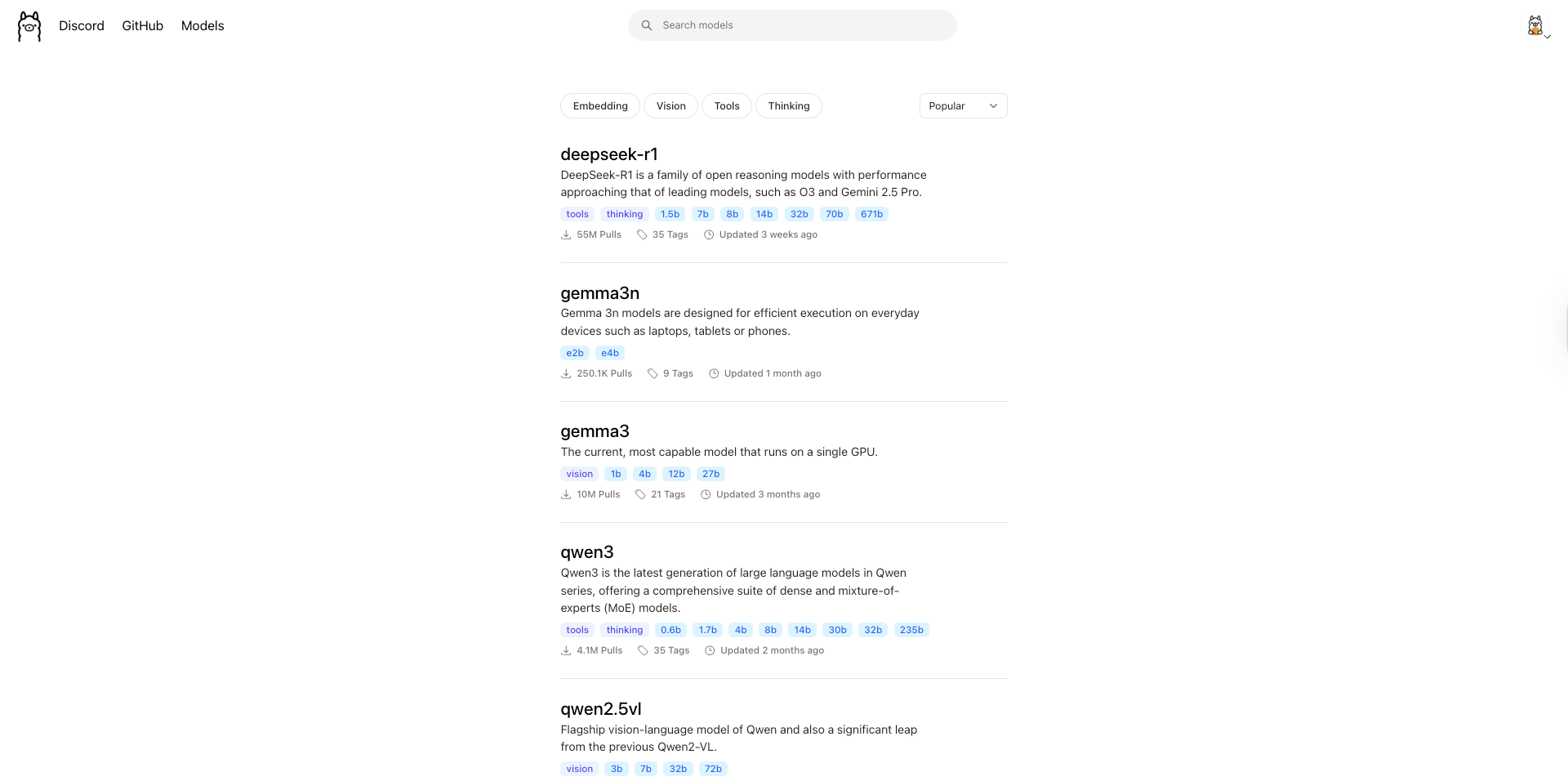
Couple of LLM models for embeddings are listed on Ollama website, If you are new to Ollama read how to run and download LLM models locally using Ollama
That would be enough for today, see you in the next one
iHateReading