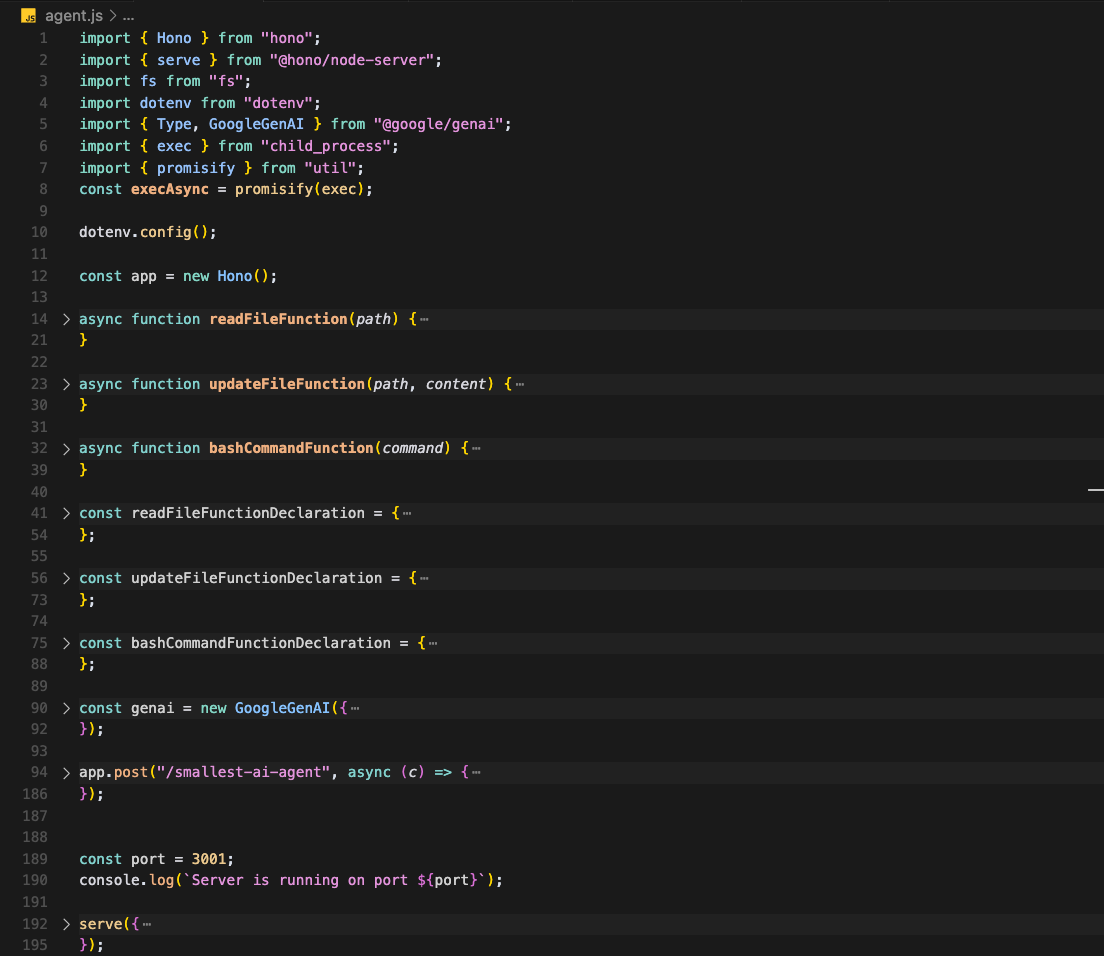
Hello and welcome to the new blog
In today's story, we will be building the smallest AI agent to learn the concept of and LLM app.
I'll be using hono, getting started with hono, because hono is now supported in vercel 😁
For LLM API, one can prefer OpenAI, I'll be using @google/genai, the main reason is it's cheaper than OpenAI API, and one can also use langchain to use local LLM using Ollama.
You need a Google Gemini API key or an OpenAI API key, or for FREE use a local LLM model with Ollama and langchain.
Our AI agent will take a user prompt and perform some operations by understanding the user prompt requirements. For example, read the file content, update the file or list the directory, and perform some BASH operations.
npm init
npm i hono, @google/genai, dotenv
Once installed, create a Google instance provided by the API key, add the API method to generate the endpoint.
import { Hono } from "hono";
import { serve } from "@hono/node-server";
import fs from "fs";
import dotenv from "dotenv";
import { Type, GoogleGenAI } from "@google/genai";

// Load environment variables
dotenv.config();

const genai = new GoogleGenAI({
	apiKey: process.env.GOOGLE_GENAI_API_KEY,
});

app.post("/smallest-ai-agent", async (c) => {
	const { prompt } = await c.req.json();

	if (!prompt) {
		return c.json({ error: "Prompt is required" }, 400);
	}

	try {
		const conversation = [
			{
				role: "user",
				parts: [
					{
						text: prompt,
					},
				],
			},
		];

		let response = await genai.models.generateContent({
			model: "gemini-2.0-flash",
			contents: conversation,
		});


		const finalResponse = response.candidates[0].content.parts[0].text;
		return c.json({ response: finalResponse });
	} catch (error) {
		console.error("Error generating content:", error);
		return c.json(
			{ error: "Failed to generate content", details: error.message },
			500
		);
	}
});
// Start the server
const port = 3001;
console.log(`Server is running on port ${port}`);

serve({
	fetch: app.fetch,
	port,
});
The above code is creating a hono server to generate the smallest-ai-agent endpoint, which uses a Google/genai instance with an API key to chat with the LLM model and return the response.
Please note: The above endpoint is a simple API endpoint to create a chat with the Google LLM model endpoint
The next part is to add some tools to make this endpoint and agent perform some operations.
The first operation is to read the file content, and later on, update the file.
Tools
Google Genai or any AI LLM model takes tools to define the action. One small tool is reading the file content, and defining tools is quite easy
- Define the tools array
- Tools array contain the tools defination to let LLM model understand the tools
- Define the tool by Tool object defination
- Pass the tool declaration inside tools
Read File Content AI Agent
import { Hono } from "hono";
import { serve } from "@hono/node-server";
import fs from "fs";
import dotenv from "dotenv";
import { Type, GoogleGenAI } from "@google/genai";

// Load environment variables
dotenv.config();
const app = new Hono();

async function readFileFunction(path) {
	try {
		const content = fs.readFileSync(path, "utf8");
		return { result: content, success: true };
	} catch (error) {
		return { error: error.message, success: false };
	}
}

async function updateFileFunction(path, content) {
	try {
		const result = fs.writeFileSync(path, content, "utf8");
		console.log(result);
		return { result: `File ${path} updated successfully`, success: true };
	} catch (error) {
		return { result: error.message, success: false };
	}
}

async function listDirectoryFunction(path) {
	try {
		const items = await fs.readdir(path, { withFileTypes: true });
		return {
			result: items.map((item) => ({
				name: item.name,
				type: item.isDirectory() ? "directory" : "file",
				path: `${path}/${item.name}`,
			})),
			success: true,
		};
	} catch (error) {
		return { result: error.message, success: false };
	}
}

const readFileFunctionDeclaration = {
	name: "read_file",
	description: "Read a contents of a file from local file stystem",
	parameters: {
		type: Type.OBJECT,
		properties: {
			path: {
				type: Type.STRING,
				description: "The path to the file to read",
			},
		},
		required: ["path"],
	},
};

const updateFileFunctionDeclaration = {
	name: "update_file",
	description: "Update the content of the file",
	parameters: {
		type: Type.OBJECT,
		properties: {
			path: {
				type: Type.STRING,
				description: "The path to the file to update",
			},
			content: {
				type: Type.STRING,
				description: "The content to update the file with",
			},
		},
		required: ["path", "content"],
	},
};

const listDirectoryFunctionDeclaration = {
	name: "list_directory",
	description: "List the contents of the directory",
	parameters: {
		type: Type.OBJECT,
		properties: {
			path: {
				type: Type.STRING,
				description: "The path to the directory to list",
			},
		},
		required: ["path"],
	},
};

const genai = new GoogleGenAI({
	apiKey: process.env.GOOGLE_GENAI_API_KEY,
});

app.post("/smallest-ai-agent", async (c) => {
	const { prompt } = await c.req.json();

	if (!prompt) {
		return c.json({ error: "Prompt is required" }, 400);
	}

	try {
		const conversation = [
			{
				role: "user",
				parts: [
					{
						text: prompt,
					},
				],
			},
		];

		let response = await genai.models.generateContent({
			model: "gemini-2.0-flash",
			contents: conversation,
			config: {
				tools: [
					{
						functionDeclarations: [readFileFunctionDeclaration],
					},
				],
			},
		});

		const finalResponse = response.candidates[0].content.parts[0].text;
		return c.json({ response: finalResponse });
	} catch (error) {
		console.error("Error generating content:", error);
		return c.json(
			{ error: "Failed to generate content", details: error.message },
			500
		);
	}
});
// Start the server
const port = 3001;
console.log(`Server is running on port ${port}`);

serve({
	fetch: app.fetch,
	port,
});
The above code will use the read_file tool and run the function via LLM model to finally return the response.
Below is the function declaration object
export declare interface FunctionDeclaration {
    /** Defines the function behavior. */
    behavior?: Behavior;
    /** Optional. Description and purpose of the function. Model uses it to decide how and whether to call the function. */
    description?: string;
    /** Required. The name of the function to call. Must start with a letter or an underscore. Must be a-z, A-Z, 0-9, or contain underscores, dots and dashes, with a maximum length of 64. */
    name?: string;
    /** Optional. Describes the parameters to this function in JSON Schema Object format. Reflects the Open API 3.03 Parameter Object. string Key: the name of the parameter. Parameter names are case sensitive. Schema Value: the Schema defining the type used for the parameter. For function with no parameters, this can be left unset. Parameter names must start with a letter or an underscore and must only contain chars a-z, A-Z, 0-9, or underscores with a maximum length of 64. Example with 1 required and 1 optional parameter: type: OBJECT properties: param1: type: STRING param2: type: INTEGER required: - param1 */
    parameters?: Schema;
    /** Optional. Describes the parameters to the function in JSON Schema format. The schema must describe an object where the properties are the parameters to the function. For example: ``` { "type": "object", "properties": { "name": { "type": "string" }, "age": { "type": "integer" } }, "additionalProperties": false, "required": ["name", "age"], "propertyOrdering": ["name", "age"] } ``` This field is mutually exclusive with `parameters`. */
    parametersJsonSchema?: unknown;
    /** Optional. Describes the output from this function in JSON Schema format. Reflects the Open API 3.03 Response Object. The Schema defines the type used for the response value of the function. */
    response?: Schema;
    /** Optional. Describes the output from this function in JSON Schema format. The value specified by the schema is the response value of the function. This field is mutually exclusive with `response`. */
    responseJsonSchema?: unknown;
}
And below is my read_file function declaration object
const readFileFunctionDeclaration = {
	name: "read_file",
	description: "Read a contents of a file from local file stystem",
	parameters: {
		type: Type.OBJECT,
		properties: {
			path: {
				type: Type.STRING,
				description: "The path to the file to read",
			},
		},
		required: ["path"],
	},
};
Now, the next part is to define the function as given below
async function readFileFunction(path) {
	try {
		const content = fs.readFileSync(path, "utf8");
		return { result: content, success: true };
	} catch (error) {
		return { error: error.message, success: false };
	}
}
The next thing is to pass this function to the AI LLM to call the function and return the result.
{
  "prompt": "Can you read the ./Readme.md file of this repository"
}{
content: {
parts: [
{
functionCall: { name: 'read_file', args: { path: './Readme.md' } }
}
],
role: 'model'
},
finishReason: 'STOP',
avgLogprobs: -0.041029787725872464
}The AI model returns the function call in the parts, meaning AI understand the prompt and now it's using the function read_file to return the content of the file at the path given to the function.
For reading the content as well as invoking the function to get the result we need to define the function to the LLM model and pass the result to another LLM model as conversation to finally return the accurate response, in this way, our simple AI agent that read the file content of the repository and return the content as the response is ready.
import { Hono } from "hono";
import { serve } from "@hono/node-server";
import fs from "fs";
import dotenv from "dotenv";
import { Type, GoogleGenAI } from "@google/genai";

// Load environment variables
dotenv.config();
const app = new Hono();

async function readFileFunction(path) {
	try {
		const content = fs.readFileSync(path, "utf8");
		return { result: content, success: true };
	} catch (error) {
		return { error: error.message, success: false };
	}
}

async function updateFileFunction(path, content) {
	try {
		const result = fs.writeFileSync(path, content, "utf8");
		return { result: `File ${path} updated successfully`, success: true };
	} catch (error) {
		return { result: error.message, success: false };
	}
}

async function listDirectoryFunction(path) {
	try {
		const items = await fs.readdir(path, { withFileTypes: true });
		return {
			result: items.map((item) => ({
				name: item.name,
				type: item.isDirectory() ? "directory" : "file",
				path: `${path}/${item.name}`,
			})),
			success: true,
		};
	} catch (error) {
		return { result: error.message, success: false };
	}
}

const readFileFunctionDeclaration = {
	name: "read_file",
	description: "Read a contents of a file from local file stystem",
	parameters: {
		type: Type.OBJECT,
		properties: {
			path: {
				type: Type.STRING,
				description: "The path to the file to read",
			},
		},
		required: ["path"],
	},
};

const updateFileFunctionDeclaration = {
	name: "update_file",
	description: "Update the content of the file",
	parameters: {
		type: Type.OBJECT,
		properties: {
			path: {
				type: Type.STRING,
				description: "The path to the file to update",
			},
			content: {
				type: Type.STRING,
				description: "The content to update the file with",
			},
		},
		required: ["path", "content"],
	},
};

const listDirectoryFunctionDeclaration = {
	name: "list_directory",
	description: "List the contents of the directory",
	parameters: {
		type: Type.OBJECT,
		properties: {
			path: {
				type: Type.STRING,
				description: "The path to the directory to list",
			},
		},
		required: ["path"],
	},
};

const genai = new GoogleGenAI({
	apiKey: process.env.GOOGLE_GENAI_API_KEY,
});

app.post("/smallest-ai-agent", async (c) => {
	const { prompt } = await c.req.json();

	if (!prompt) {
		return c.json({ error: "Prompt is required" }, 400);
	}

	try {
		const conversation = [
			{
				role: "user",
				parts: [
					{
						text: prompt,
					},
				],
			},
		];

		let response = await genai.models.generateContent({
			model: "gemini-2.0-flash",
			contents: conversation,
			config: {
				tools: [
					{
						functionDeclarations: [readFileFunctionDeclaration],
					},
				],
			},
		});

		const functionCalls = response.candidates[0].content.parts.filter(
			(part) => part.functionCall
		);

		let functionResults = [];
		for (const functionCall of functionCalls) {
			const { name, args } = functionCall.functionCall;
			let result;
			switch (name) {
				case "read_file":
					result = await readFileFunction(args.path);
          console.log(result, "result")
					break;
			}

			functionResults.push({
				name,
				args,
				result,
			});

		};
    // Add function results to conversation and get final response
    conversation.push({
      role: "model",
      parts: response.candidates[0].content.parts,
    });

    conversation.push({
      role: "user",
      parts: [
        {
          text: `Function results: ${JSON.stringify(functionResults)}`,
        },
      ],
    });

    response = await genai.models.generateContent({
      model: "gemini-2.0-flash",
      contents: conversation,
    });

		console.dir(response.candidates[0], { depth: null });

		const finalResponse = response.candidates[0];
		return c.json({ response: finalResponse });
	} catch (error) {
		console.error("Error generating content:", error);
		return c.json(
			{ error: "Failed to generate content", details: error.message },
			500
		);
	}
});
// Start the server
const port = 3001;
console.log(`Server is running on port ${port}`);

serve({
	fetch: app.fetch,
	port,
});
Now the above code will understand the prompt, invoke the read_file function, get the function call result, pass it to the LLM again, to finally return the user prompt response.
One should question why we are storing the function call results or response and passing them to the LLM model again using the conversation contents?
const functionCalls = response.candidates[0].content.parts.filter(
  (part) => part.functionCall
);

let functionResults = [];
for (const functionCall of functionCalls) {
  const { name, args } = functionCall.functionCall;
  let result;
  switch (name) {
    case "read_file":
      result = await readFileFunction(args.path);
      console.log(result, "result")
      break;
  }

  functionResults.push({
    name,
    args,
    result,
  });

};
// Add function results to conversation and get final response
conversation.push({
  role: "model",
  parts: response.candidates[0].content.parts,
});

conversation.push({
  role: "user",
  parts: [
    {
      text: `Function results: ${JSON.stringify(functionResults)}`,
    },
  ],
});

response = await genai.models.generateContent({
  model: "gemini-2.0-flash",
  contents: conversation,
});
First, we take the function call from the AI model and iterate over it to finally invoke the function using the name of each function that we had already defined in the functionDelcaration.
Then we pass the function response when called by the LLM model and store the result to finally pass the result to the AI model as the content parts.
And then lastly, we just capture the final AI response, as shown below.
{
    "response": {
        "content": {
            "parts": [
                {
                    "text": "Okay, I have read the `README.md` file. Here's a summary of its contents:\n\n**Project Title:** Vanilla JS Project\n\n**Description:**  This is a vanilla JavaScript project that includes:\n\n*   A blog system with Firebase integration.\n*   An RSS feed aggregator.\n*   AI code generation.\n*   File system operations (presumably related to the AI agent).\n\n**Getting Started:**\n\n1.  **Install dependencies:** `npm install`\n2.  **Set up environment variables:**\n    *   Copy `.env.example` to `.env` (`cp .env.example .env`)\n    *   Add necessary API keys to the `.env` file.\n3.  **Start the server:** `node server.js`\n\n**API Endpoints:**\n\n*   `/home`: Blog listing page\n*   `/t/:slug`: Individual blog post (where `:slug` is the blog post identifier)\n*   `/universo`: RSS feed aggregator\n*   `/ai-generate-code`: AI code generation\n*   `/smallest-ai-agent`: AI agent with file operations\n\n**Project Structure:**\n\nThe project has the following directory structure:\n\n```\nvanilla-js/\n├── server.js          # Main server file\n├── firebase.js        # Firebase configuration\n├── package.json       # Dependencies\n├── client/           # Client-side code\n└── server/           # Server-side code\n```\n\nIn essence, it's a JavaScript project using vanilla JS, Firebase, and other technologies to create a blog, RSS aggregator, and AI-powered tools.\n"
                }
            ],
            "role": "model"
        },
        "finishReason": "STOP",
        "avgLogprobs": -0.13725859047710032
    }
}
AI model returns the other keys such as avgLogprops, finishReason and more, which are important to tackle different situations like error, loading, skipping the agent
Update File Agent
The next part of the agent is also simple: update the content of the file. In this case, the user will provide the prompt with the updated file content, and the AI agent will not only read but also update the content, and in this case, we will define both the function read_file and update_file.
Firstly, I define the update_file method declaration.
const updateFileFunctionDeclaration = {
	name: "update_file",
	description: "Update the content of the file",
	parameters: {
		type: Type.OBJECT,
		properties: {
			path: {
				type: Type.STRING,
				description: "The path to the file to update",
			},
			content: {
				type: Type.STRING,
				description: "The content to update the file with",
			},
		},
		required: ["path", "content"],
	},
};
The name of the method is important when using the same name inside a function call array to invoke the only method.
import { Hono } from "hono";
import { serve } from "@hono/node-server";
import fs from "fs";
import dotenv from "dotenv";
import { Type, GoogleGenAI } from "@google/genai";

// Load environment variables
dotenv.config();
const app = new Hono();

async function readFileFunction(path) {
	try {
		const content = fs.readFileSync(path, "utf8");
		return { result: content, success: true };
	} catch (error) {
		return { error: error.message, success: false };
	}
}

async function updateFileFunction(path, content) {
	try {
		const result = fs.writeFileSync(path, content, "utf8");
		return { result: `File ${path} updated successfully`, success: true };
	} catch (error) {
		return { result: error.message, success: false };
	}
}

async function listDirectoryFunction(path) {
	try {
		const items = await fs.readdir(path, { withFileTypes: true });
		return {
			result: items.map((item) => ({
				name: item.name,
				type: item.isDirectory() ? "directory" : "file",
				path: `${path}/${item.name}`,
			})),
			success: true,
		};
	} catch (error) {
		return { result: error.message, success: false };
	}
}

const readFileFunctionDeclaration = {
	name: "read_file",
	description: "Read a contents of a file from local file stystem",
	parameters: {
		type: Type.OBJECT,
		properties: {
			path: {
				type: Type.STRING,
				description: "The path to the file to read",
			},
		},
		required: ["path"],
	},
};

const updateFileFunctionDeclaration = {
	name: "update_file",
	description: "Update the content of the file",
	parameters: {
		type: Type.OBJECT,
		properties: {
			path: {
				type: Type.STRING,
				description: "The path to the file to update",
			},
			content: {
				type: Type.STRING,
				description: "The content to update the file with",
			},
		},
		required: ["path", "content"],
	},
};

const listDirectoryFunctionDeclaration = {
	name: "list_directory",
	description: "List the contents of the directory",
	parameters: {
		type: Type.OBJECT,
		properties: {
			path: {
				type: Type.STRING,
				description: "The path to the directory to list",
			},
		},
		required: ["path"],
	},
};

const genai = new GoogleGenAI({
	apiKey: process.env.GOOGLE_GENAI_API_KEY,
});

app.post("/smallest-ai-agent", async (c) => {
	const { prompt } = await c.req.json();

	if (!prompt) {
		return c.json({ error: "Prompt is required" }, 400);
	}

	try {
		const conversation = [
			{
				role: "user",
				parts: [
					{
						text: prompt,
					},
				],
			},
		];

		let response = await genai.models.generateContent({
			model: "gemini-2.0-flash",
			contents: conversation,
			config: {
				tools: [
					{
						functionDeclarations: [
							readFileFunctionDeclaration,
							updateFileFunctionDeclaration,
						],
					},
				],
			},
		});

		const functionCalls = response.candidates[0].content.parts.filter(
			(part) => part.functionCall
		);

		let functionResults = [];
		for (const functionCall of functionCalls) {
			const { name, args } = functionCall.functionCall;
			let result;
			switch (name) {
				case "read_file":
					result = await readFileFunction(args.path);
					console.log(result, "result");
				case "update_file":
					result = await updateFileFunction(args.path, args.content);
					break;
			}

			functionResults.push({
				name,
				args,
				result,
			});
		}
		// Add function results to conversation and get final response
		conversation.push({
			role: "model",
			parts: response.candidates[0].content.parts,
		});

		conversation.push({
			role: "user",
			parts: [
				{
					text: `Function results: ${JSON.stringify(functionResults)}`,
				},
			],
		});

		response = await genai.models.generateContent({
			model: "gemini-2.0-flash",
			contents: conversation,
		});

		console.dir(response.candidates[0], { depth: null });

		const finalResponse = response.candidates[0].content.parts[0].text;
		return c.json({ response: finalResponse });
	} catch (error) {
		console.error("Error generating content:", error);
		return c.json(
			{ error: "Failed to generate content", details: error.message },
			500
		);
	}
});
// Start the server
const port = 3001;
console.log(`Server is running on port ${port}`);

serve({
	fetch: app.fetch,
	port,
});
This method will update the file content using the prompt and read any file content as well, using the prompt or plain english.
{
    "response": "OK. I have updated the `README.md` file with the content \"New content\".\n"
}
And an API response or an agent response
{
    "response": "OK. I have updated the `README.md` file with the content \"New content\".\n"
}
Quite easy Ahhh!!
BASH command
The next part of the agent is to run some BASH commands using a function call.
Again, we will define the function via a function declaration and then assign inside the function call iteration to store the result.
async function bashCommandFunction(command) {
	try {
		const result = await exec(command);
		return { result: result.stdout, success: true };
	} catch (error) {
		return { result: error.message, success: false };
	}
}

const bashCommandFunctionDeclaration = {
	name: "bash_command",
	description: "Run a command in the terminal",
	parameters: {
		type: Type.OBJECT,
		properties: {
			command: {
				type: Type.STRING,
				description: "The command to run in the terminal",
			},
		},
		required: ["command"],
	},
};
BASH command function declaration along with with method.
The last part is to connect it with the function call inside the switch method and pass the command result to the LLM model via conversation to finally return the AI response.
import { Hono } from "hono";
import { serve } from "@hono/node-server";
import fs from "fs";
import dotenv from "dotenv";
import { Type, GoogleGenAI } from "@google/genai";

// Load environment variables
dotenv.config();
const app = new Hono();

async function readFileFunction(path) {
	try {
		const content = fs.readFileSync(path, "utf8");
		return { result: content, success: true };
	} catch (error) {
		return { error: error.message, success: false };
	}
}

async function updateFileFunction(path, content) {
	try {
		const result = fs.writeFileSync(path, content, "utf8");
		return { result: `File ${path} updated successfully`, success: true };
	} catch (error) {
		return { result: error.message, success: false };
	}
}
async function bashCommandFunction(command) {
	try {
		const result = await exec(command);
		return { result: result.stdout, success: true };
	} catch (error) {
		return { result: error.message, success: false };
	}
}

async function listDirectoryFunction(path) {
	try {
		const items = await fs.readdir(path, { withFileTypes: true });
		return {
			result: items.map((item) => ({
				name: item.name,
				type: item.isDirectory() ? "directory" : "file",
				path: `${path}/${item.name}`,
			})),
			success: true,
		};
	} catch (error) {
		return { result: error.message, success: false };
	}
}

const readFileFunctionDeclaration = {
	name: "read_file",
	description: "Read a contents of a file from local file stystem",
	parameters: {
		type: Type.OBJECT,
		properties: {
			path: {
				type: Type.STRING,
				description: "The path to the file to read",
			},
		},
		required: ["path"],
	},
};

const updateFileFunctionDeclaration = {
	name: "update_file",
	description: "Update the content of the file",
	parameters: {
		type: Type.OBJECT,
		properties: {
			path: {
				type: Type.STRING,
				description: "The path to the file to update",
			},
			content: {
				type: Type.STRING,
				description: "The content to update the file with",
			},
		},
		required: ["path", "content"],
	},
};

const bashCommandFunctionDeclaration = {
	name: "bash_command",
	description: "Run a command in the terminal",
	parameters: {
		type: Type.OBJECT,
		properties: {
			command: {
				type: Type.STRING,
				description: "The command to run in the terminal",
			},
		},
		required: ["command"],
	},
};
const listDirectoryFunctionDeclaration = {
	name: "list_directory",
	description: "List the contents of the directory",
	parameters: {
		type: Type.OBJECT,
		properties: {
			path: {
				type: Type.STRING,
				description: "The path to the directory to list",
			},
		},
		required: ["path"],
	},
};

const genai = new GoogleGenAI({
	apiKey: process.env.GOOGLE_GENAI_API_KEY,
});

app.post("/smallest-ai-agent", async (c) => {
	const { prompt } = await c.req.json();

	if (!prompt) {
		return c.json({ error: "Prompt is required" }, 400);
	}

	try {
		const conversation = [
			{
				role: "user",
				parts: [
					{
						text: prompt,
					},
				],
			},
		];

		let response = await genai.models.generateContent({
			model: "gemini-2.0-flash",
			contents: conversation,
			config: {
				tools: [
					{
						functionDeclarations: [
							readFileFunctionDeclaration,
							updateFileFunctionDeclaration,
							bashCommandFunctionDeclaration,
						],
					},
				],
			},
		});

		const functionCalls = response.candidates[0].content.parts.filter(
			(part) => part.functionCall
		);

		let functionResults = [];
		for (const functionCall of functionCalls) {
			const { name, args } = functionCall.functionCall;
			let result;
			switch (name) {
				case "read_file":
					result = await readFileFunction(args.path);
				case "update_file":
					result = await updateFileFunction(args.path, args.content);
					break;
				case "bash_command":
					result = await bashCommandFunction(args.command);
					break;
			}

			functionResults.push({
				name,
				args,
				result,
			});
		}
		// Add function results to conversation and get final response
		conversation.push({
			role: "model",
			parts: response.candidates[0].content.parts,
		});

		conversation.push({
			role: "user",
			parts: [
				{
					text: `Function results: ${JSON.stringify(functionResults)}`,
				},
			],
		});

		response = await genai.models.generateContent({
			model: "gemini-2.0-flash",
			contents: conversation,
		});

		console.dir(response.candidates[0], { depth: null });

		const finalResponse = response.candidates[0].content.parts[0].text;
		return c.json({ response: finalResponse });
	} catch (error) {
		console.error("Error generating content:", error);
		return c.json(
			{ error: "Failed to generate content", details: error.message },
			500
		);
	}
});
// Start the server
const port = 3001;
console.log(`Server is running on port ${port}`);

serve({
	fetch: app.fetch,
	port,
});
In this way, I can ask the AI agent to read the README file of the repository and find the RUN command and run it locally in the terminal.
import { Hono } from "hono";
import { serve } from "@hono/node-server";
import fs from "fs";
import dotenv from "dotenv";
import { Type, GoogleGenAI } from "@google/genai";

// Load environment variables
dotenv.config();
const app = new Hono();

async function readFileFunction(path) {
	try {
		const content = fs.readFileSync(path, "utf8");
		return { result: content, success: true };
	} catch (error) {
		return { error: error.message, success: false };
	}
}

async function updateFileFunction(path, content) {
	try {
		const result = fs.writeFileSync(path, content, "utf8");
		return { result: `File ${path} updated successfully`, success: true };
	} catch (error) {
		return { result: error.message, success: false };
	}
}
async function bashCommandFunction(command) {
	try {
		const result = await exec(command);
		return { result: result.stdout, success: true };
	} catch (error) {
		return { result: error.message, success: false };
	}
}

async function listDirectoryFunction(path) {
	try {
		const items = await fs.readdir(path, { withFileTypes: true });
		return {
			result: items.map((item) => ({
				name: item.name,
				type: item.isDirectory() ? "directory" : "file",
				path: `${path}/${item.name}`,
			})),
			success: true,
		};
	} catch (error) {
		return { result: error.message, success: false };
	}
}

const readFileFunctionDeclaration = {
	name: "read_file",
	description: "Read a contents of a file from local file stystem",
	parameters: {
		type: Type.OBJECT,
		properties: {
			path: {
				type: Type.STRING,
				description: "The path to the file to read",
			},
		},
		required: ["path"],
	},
};

const updateFileFunctionDeclaration = {
	name: "update_file",
	description: "Update the content of the file",
	parameters: {
		type: Type.OBJECT,
		properties: {
			path: {
				type: Type.STRING,
				description: "The path to the file to update",
			},
			content: {
				type: Type.STRING,
				description: "The content to update the file with",
			},
		},
		required: ["path", "content"],
	},
};

const bashCommandFunctionDeclaration = {
	name: "bash_command",
	description: "Run a command in the terminal",
	parameters: {
		type: Type.OBJECT,
		properties: {
			command: {
				type: Type.STRING,
				description: "The command to run in the terminal",
			},
		},
		required: ["command"],
	},
};
const listDirectoryFunctionDeclaration = {
	name: "list_directory",
	description: "List the contents of the directory",
	parameters: {
		type: Type.OBJECT,
		properties: {
			path: {
				type: Type.STRING,
				description: "The path to the directory to list",
			},
		},
		required: ["path"],
	},
};

const genai = new GoogleGenAI({
	apiKey: process.env.GOOGLE_GENAI_API_KEY,
});

app.post("/smallest-ai-agent", async (c) => {
	const { prompt } = await c.req.json();

	if (!prompt) {
		return c.json({ error: "Prompt is required" }, 400);
	}

	try {
		const conversation = [
			{
				role: "user",
				parts: [
					{
						text: prompt,
					},
				],
			},
		];

		let response = await genai.models.generateContent({
			model: "gemini-2.0-flash",
			contents: conversation,
			config: {
				tools: [
					{
						functionDeclarations: [readFileFunctionDeclaration],
					},
				],
			},
		});

		const functionCalls = response.candidates[0].content.parts.filter(
			(part) => part.functionCall
		);

		let functionResults = [];
		for (const functionCall of functionCalls) {
			const { name, args } = functionCall.functionCall;
			let result;
			switch (name) {
				case "read_file":
					result = await readFileFunction(args.path);
          break;
				case "update_file":
					result = await updateFileFunction(args.path, args.content);
					break;
				case "bash_command":
					result = await bashCommandFunction(args.command);
					break;
			}

			functionResults.push({
				name,
				args,
				result,
			});
		}
		// Add function results to conversation and get final response
		conversation.push({
			role: "model",
			parts: response.candidates[0].content.parts,
		});

		conversation.push({
			role: "user",
			parts: [
				{
					text: `Function results: ${JSON.stringify(functionResults)}`,
				},
			],
		});

		response = await genai.models.generateContent({
			model: "gemini-2.0-flash",
			contents: conversation,
		});

		// console.dir(response.candidates[0], { depth: null });

		const finalResponse = response.candidates[0].content.parts[0].text;
		return c.json({ response: finalResponse });
	} catch (error) {
		console.error("Error generating content:", error);
		return c.json(
			{ error: "Failed to generate content", details: error.message },
			500
		);
	}
});
// Start the server
const port = 3001;
console.log(`Server is running on port ${port}`);

serve({
	fetch: app.fetch,
	port,
});
In this way, one can generate the smallest AI agent to read, update and run the BASH commands using an AI LLM agent.
We will stop here as the next blogs will discuss more about agents in detail, till then time being have a good day
Shrey
iHateReading