Hey there!!!!
Welcome to the new blog
I was reading github repositories and finding new, cool ideas and good, decent projects.
Github trending repositories also give an idea that helps to predict the future of software development
I still remember when the Shadcn GitHub repository came to my feed and knowledge, my immediate reaction was that it would be the next Material UI or Bootstrap UI for reactjs developers
I’ve been writing about github trending repositories in a couple of previous blogs, and every time I have to do the manual work, it's boring.
I created the panel on our website, ihatereading, to view the trending github repositories based on the category/domain
The API are created using honojs as the new framework in the backend, an alternative to expressjs.
The good part with honojs is that it is lightweight, fast, and it works on Vercel Edge, a serverless computer.
Fetching github trending repositories is quite easy; one can use Github REST API and fetch the trending ones, but I moved ahead and deeper and created a scraping API that scrapes GitHub trending from Google search and github search page.
How I did this is an in-depth story, which I might share some other time on my new blog.
This page helps me to stay tuned to software development, and helps me to plan what's next to learn as well.
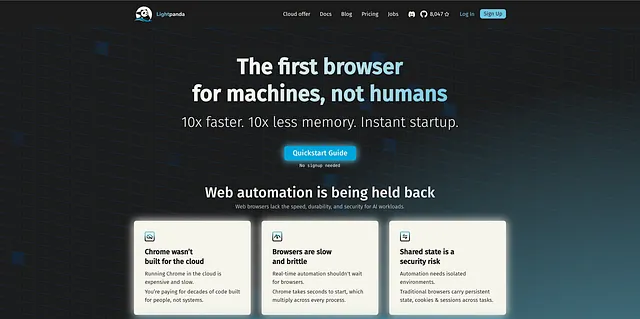
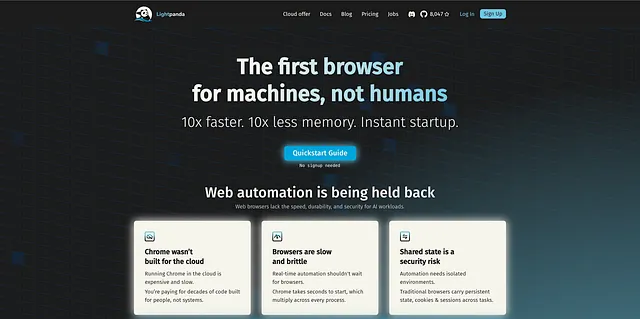
I’ve found this new lightweight repository, lightpanda, that provides a new headless Chrome written on ZIG, a powerful, lightweight alternative to Playwright and Puppeteer, but it works with them as well to scrape content from the internet.
The team behind lightpanda claimed it to be a scraping browser for an AI agent, an SDK for scraping content for an AI LLM.
For example, the code below is the code that goes to the YC webpage, clicks on the search input, enters the search keyword, fetches the results and returns in the API response, all based on the lightpanda browser SDK in the honojs app.
"use strict";

import { lightpanda } from "@lightpanda/browser";
import puppeteer from "puppeteer-core";

const lpdopts = {
 host: "127.0.0.1",
 port: 9222,
};

const puppeteeropts = {
 browserWSEndpoint: "ws://" + lpdopts.host + ":" + lpdopts.port,
};

(async () => {
 // Start Lightpanda browser in a separate process.
 const proc = await lightpanda.serve(lpdopts);

 // Connect Puppeteer to the browser.
 const browser = await puppeteer.connect(puppeteeropts);
 const context = await browser.createBrowserContext();
 const page = await context.newPage();

 // Go to hackernews home page.
 await page.goto("https://news.ycombinator.com/");

 // Find the search box at the bottom of the page and type the term lightpanda
 // to search.
 await page.type('input[name="q"]', "cursor");
 // Press enter key to run the search.
 await page.keyboard.press("Enter");

 // Wait until the search results are loaded on the page, with a 5 seconds
 // timeout limit.
 await page.waitForFunction(
  () => {
   return document.querySelector(".Story_container") != null;
  },
  { timeout: 5000 },
 );

 // Loop over search results to extract data.
 const res = await page.evaluate(() => {
  return Array.from(document.querySelectorAll(".Story_container")).map(
   (row) => {
    return {
     // Extract the title.
     title: row.querySelector(".Story_title span").textContent,
     // Extract the URL.
     url: row.querySelector(".Story_title a").getAttribute("href"),
     // Extract the list of meta data.
     meta: Array.from(
      row.querySelectorAll(
       ".Story_meta > span:not(.Story_separator, .Story_comment)",
      ),
     ).map((row) => {
      return row.textContent;
     }),
    };
   },
  );
 });

 // Display the result.
 console.log(res);

 // Disconnect Puppeteer.
 await page.close();
 await context.close();
 await browser.disconnect();

 // Stop Lightpanda browser process.
 proc.stdout.destroy();
 proc.stderr.destroy();
 proc.kill();
})();
The strange part is that the entire code is under 100 lines and runs faster than before with Playwright, using less memory.
But the sad part is it's not supported on vercel, currently, so one has to deploy the API on fly.io, Cloudflare, or another alternative.
I prepared Vercel because it's a part of my ecosystem that helps me build and deploy in a few clicks.
Injecting AI LLM for YC
I didn’t want to stop here; scraping content from the internet is not enough in 2026.
Feeding or injecting content into an AI LLM to extract useful information and asking user queries is what I was expecting to be the next tasks.
What we can do better is to feed the results from the scraper to the AI model to answer the user queries based on the prompt provided by the user. This would be good enough
But I move ahead with a smart move, I give AI LLM a decision-making position, where AI decide which query or queries to make or search on the YC webpage based on the user prompt.
It can be a single or multiple query depending on the user prompt and requirement, and AI will decide.
It can make a maximum of 5 queries at the same time, and whatever results it gets, it will inject them into AI again to modify the final response.
The entire process is a simple tool calling process, nothing rocket science over here, but the way we are doing it is different and niche.
"use strict";

/**
 * Lightpanda Researcher
 * ---------------------
 * Takes a user prompt → asks OpenRouter to generate YC/HN search queries →
 * scrapes Hacker News search results with Lightpanda → synthesises a final
 * answer via OpenRouter → prints structured JSON with full metadata.
 *
 * Usage:
 *   OPENROUTER_API_KEY=<key> node lightpanda-researcher.js "best YC companies 2024"
 */

import { lightpanda } from "@lightpanda/browser";
import puppeteer from "puppeteer-core";

const LP_OPTS = { host: "127.0.0.1", port: 9222 };
const MODEL = "google/gemini-2.0-flash-001";

// ── OpenRouter helper ──────────────────────────────────────────────────────────

async function callOpenRouter(messages, { jsonMode = false } = {}) {
 const res = await fetch("https://openrouter.ai/api/v1/chat/completions", {
  method: "POST",
  headers: {
   Authorization: `Bearer ${process.env.OPENROUTER_API_KEY}`,
   "Content-Type": "application/json",
   "HTTP-Referer": "https://ihatereading.in",
   "X-Title": "Lightpanda Researcher",
  },
  body: JSON.stringify({
   model: MODEL,
   messages,
   ...(jsonMode ? { response_format: { type: "json_object" } } : {}),
  }),
 });
 const data = await res.json();
 if (data.error) throw new Error(`OpenRouter: ${data.error.message}`);
 return {
  text: data.choices?.[0]?.message?.content ?? "",
  usage: {
   promptTokens: data.usage?.prompt_tokens ?? 0,
   completionTokens: data.usage?.completion_tokens ?? 0,
   totalTokens: data.usage?.total_tokens ?? 0,
  },
 };
}

function parseJsonFromLLM(text) {
 let s = text.trim();
 const fence = s.match(/```(?:json)?\s*([\s\S]*?)\s*```/);
 if (fence) s = fence[1].trim();
 const first = s.indexOf("{");
 const last = s.lastIndexOf("}");
 if (first !== -1 && last > first) s = s.slice(first, last + 1);
 return JSON.parse(s);
}

// ── Lightpanda page helper ─────────────────────────────────────────────────────
// Opens a fresh context+page, navigates to url, runs fn(page), fully closes.
// Lightpanda: ONE context at a time, no re-navigation of a live page.

async function withPage(browser, url, fn) {
 const context = await browser.createBrowserContext();
 const page = await context.newPage();
 try {
  await page.setUserAgent(
   "Mozilla/5.0 (Windows NT 10.0; Win64; x64) AppleWebKit/537.36 (KHTML, like Gecko) Chrome/120.0.0.0 Safari/537.36",
  ).catch(() => {});
  await page.goto(url, { waitUntil: "load", timeout: 30000 });
  await new Promise((r) => setTimeout(r, 2500));
  return await fn(page);
 } finally {
  await page.close().catch(() => {});
  await context.close().catch(() => {});
 }
}

// ── HN scraper ────────────────────────────────────────────────────────────────

async function scrapeHNSearch(browser, query) {
 const searchUrl = `https://hn.algolia.com/?q=${encodeURIComponent(query)}&type=story`;
 return withPage(browser, searchUrl, async (page) => {
  // Wait for results to appear
  await page.waitForFunction(
   () => document.querySelector(".Story_container, .story") != null,
   { timeout: 8000 },
  ).catch(() => {});

  return page.evaluate((q) => {
   const items = Array.from(
    document.querySelectorAll(".Story_container, .story, article"),
   ).slice(0, 10);

   return {
    query: q,
    url: window.location.href,
    results: items.map((row) => {
     const titleEl =
      row.querySelector(".Story_title a, .titleline a, h2 a, a[href]");
     const metaEls = row.querySelectorAll(
      ".Story_meta > span:not(.Story_separator, .Story_comment), .subtext span",
     );
     return {
      title: (titleEl?.textContent || "").trim(),
      url: titleEl?.href || titleEl?.getAttribute("href") || "",
      meta: Array.from(metaEls).map((el) => el.textContent.trim()).filter(Boolean),
      snippet: (row.querySelector("p, .comment")?.textContent || "").trim().slice(0, 300),
     };
    }).filter((r) => r.title.length > 0),
   };
  }, query).catch(() => ({ query, url: searchUrl, results: [] }));
 });
}

// ── Main researcher flow ───────────────────────────────────────────────────────

async function research(prompt) {
 const tokenUsage = { promptTokens: 0, completionTokens: 0, totalTokens: 0 };
 const addUsage = (u) => {
  tokenUsage.promptTokens += u.promptTokens;
  tokenUsage.completionTokens += u.completionTokens;
  tokenUsage.totalTokens += u.totalTokens;
 };

 // ── Step 1: Generate search queries ───────────────────────────────────────
 console.error("[1/4] Generating search queries…");
 const queryGen = await callOpenRouter(
  [
   {
    role: "system",
    content:
     "You are a research assistant specialising in Hacker News and YC content. " +
     "Given a user research prompt, generate 2–4 focused search queries optimised " +
     "for the Algolia HN search (hn.algolia.com). " +
     "Respond ONLY with a JSON object: { \"queries\": [\"query1\", \"query2\", ...] }",
   },
   { role: "user", content: prompt },
  ],
  { jsonMode: true },
 );
 addUsage(queryGen.usage);

 let queries;
 try {
  queries = parseJsonFromLLM(queryGen.text).queries;
  if (!Array.isArray(queries) || queries.length === 0) throw new Error("empty");
 } catch {
  queries = [prompt];
 }
 console.error(`[1/4] Queries: ${JSON.stringify(queries)}`);

 // ── Step 2: Scrape HN with Lightpanda ─────────────────────────────────────
 console.error("[2/4] Starting Lightpanda…");
 const proc = await lightpanda.serve(LP_OPTS);
 await new Promise((r) => setTimeout(r, 500));
 const browser = await puppeteer.connect({
  browserWSEndpoint: `ws://${LP_OPTS.host}:${LP_OPTS.port}`,
 });

 const scrapedResults = [];
 const scrapedUrls = [];

 try {
  console.error("[3/4] Scraping HN search pages…");
  for (const q of queries) {
   try {
    const result = await scrapeHNSearch(browser, q);
    scrapedResults.push(result);
    scrapedUrls.push(result.url);
    console.error(`    ✓ "${q}" → ${result.results.length} results`);
   } catch (err) {
    console.error(`    ✗ "${q}" failed: ${err.message}`);
    scrapedResults.push({ query: q, url: "", results: [] });
   }
  }
 } finally {
  await browser.disconnect().catch(() => {});
  proc.stdout.destroy();
  proc.stderr.destroy();
  proc.kill();
  console.error("[3/4] Lightpanda stopped.");
 }

 // ── Step 3: Synthesise answer with LLM ────────────────────────────────────
 console.error("[4/4] Synthesising answer…");

 const context = scrapedResults
  .map(({ query, results }) => {
   if (results.length === 0) return `## Query: "${query}"\n_No results found._`;
   const rows = results
    .map(
     (r, i) =>
      `${i + 1}. **${r.title}**\n   URL: ${r.url}\n   Meta: ${r.meta.join(" | ")}\n   ${r.snippet ? `Snippet: ${r.snippet}` : ""}`,
    )
    .join("\n\n");
   return `## Query: "${query}"\n${rows}`;
  })
  .join("\n\n---\n\n");

 const synthesis = await callOpenRouter(
  [
   {
    role: "system",
    content:
     "You are an expert researcher. Using the Hacker News search results provided, " +
     "answer the user's research prompt thoroughly. " +
     "Respond ONLY with a JSON object:\n" +
     "{\n" +
     '  "answer": "<comprehensive markdown answer>",\n' +
     '  "topLinks": [{ "title": "", "url": "", "reason": "" }],\n' +
     '  "keyInsights": ["insight1", "insight2"],\n' +
     '  "limitations": "<what was not found or caveats>"\n' +
     "}",
   },
   {
    role: "user",
    content: `Research prompt: ${prompt}\n\n--- HN Search Results ---\n\n${context}`,
   },
  ],
  { jsonMode: true },
 );
 addUsage(synthesis.usage);

 let synthesised;
 try {
  synthesised = parseJsonFromLLM(synthesis.text);
 } catch {
  synthesised = { answer: synthesis.text, topLinks: [], keyInsights: [], limitations: "" };
 }

 // ── Final output ──────────────────────────────────────────────────────────
 return {
  prompt,
  answer: synthesised.answer ?? "",
  topLinks: synthesised.topLinks ?? [],
  keyInsights: synthesised.keyInsights ?? [],
  limitations: synthesised.limitations ?? "",
  metadata: {
   queriesUsed: queries,
   scrapedUrls,
   scrapedUrlsCount: scrapedUrls.length,
   totalResultsFound: scrapedResults.reduce((n, r) => n + r.results.length, 0),
   model: MODEL,
   tokenUsage,
  },
  rawResults: scrapedResults,
 };
}

// ── CLI entry point ────────────────────────────────────────────────────────────

const prompt = process.argv.slice(2).join(" ").trim();
if (!prompt) {
 console.error("Usage: node lightpanda-researcher.js \"your research prompt\"");
 process.exit(1);
}
if (!process.env.OPENROUTER_API_KEY) {
 console.error("Error: OPENROUTER_API_KEY env var is required.");
 process.exit(1);
}

research(prompt)
 .then((result) => {
  console.log(JSON.stringify(result, null, 2));
 })
 .catch((err) => {
  console.error("Fatal:", err.message);
  process.exit(1);
 });
I leave the further modification to your imagination 😃
LLM Idea
I checked the tweet above, quite an interesting project using Three.js.
Three.js is the most important package for creating 3D interfaces in a frontend reactjs application. If you haven’t tried it, give it a shot.
One can easily build these kinds of tools for construction companies and sell them on a subscription-based model or a one-time payment.
I know getting those customers is not easy, but who cares?
We can easily make claude code or a cursor build the tool, and then we need to market the product to sell it to the customers.
Another good LLM idea I’ve recently heard is using the Google Maps scraping technique.
- Use Google Maps scraping to scrape the business
- Filter businesses that don’t have a website, good rating,s reviews and photos
- Scrape the competitor's website, pricing, keywords and landing page
- Create the new landing page using AI and pitch it to the business owners
In just one call or a meeting, one can book the client by showing a demo of their website landing page generated using AI.
Earlier, before AI, this would easily cost weeks of time in building and then pitching the idea to the client, but now it will be done within an hour.
For this idea, I’ve found a few ways to scrape content from Google Maps
- Use Google Maps API key
- Use Serpapi API key
- Use Apify tool
- Use other scraping API keys
- Build a custom Google Maps scraping API endpoint
One can go with a few other options, but as a developer, I decided to switch to the last option and create our endpoint to scrape Google Maps.
async function runMapsQuery(browser, query) {
 const page = await browser.newPage();
 try {
  await page.setUserAgent(
   "Mozilla/5.0 (Windows NT 10.0; Win64; x64) AppleWebKit/537.36 (KHTML, like Gecko) Chrome/120.0.0.0 Safari/537.36",
  );
  await page.setRequestInterception(true);
  page.on("request", (req) => {
   if (["image", "font", "stylesheet", "media"].includes(req.resourceType()))
    req.abort();
   else req.continue();
  });

  await page.goto(
   `https://www.google.com/maps/search/${encodeURIComponent(query)}?hl=en`,
   { waitUntil: "networkidle0", timeout: 30000 },
  );
  await new Promise((r) => setTimeout(r, 5000));

  await page.evaluate(async () => {
   const feed = document.querySelector('div[role="feed"]');
   if (!feed) return;
   for (let i = 0; i < 5; i++) {
    feed.scrollBy(0, 1000);
    await new Promise((r) => setTimeout(r, 1000));
   }
  });

  // Pass 1: names + URLs + coordinates (from URL params)
  const feedEntries = await page.evaluate(() => {
   const feed = document.querySelector('div[role="feed"]');
   if (!feed) return [];
   return Array.from(feed.querySelectorAll('a[href*="/maps/place/"]'))
    .slice(0, 10)
    .map((card) => {
     const url = card.href || "";
     const latMatch = url.match(/[!,]3d(-?[\d.]+)/);
     const lngMatch = url.match(/[!,]4d(-?[\d.]+)/);
     return {
      name: card.getAttribute("aria-label")?.trim() || "",
      url,
      coordinates:
       latMatch && lngMatch
        ? { lat: parseFloat(latMatch[1]), lng: parseFloat(lngMatch[1]) }
        : null,
     };
    })
    .filter((item) => item.name.length > 0);
  });

  // Pass 2: visit each place page for rating, reviews, address, phone, website
  const places = await Promise.all(
   feedEntries.map(async (entry) => {
    const detailPage = await browser.newPage();
    try {
     await detailPage.setRequestInterception(true);
     detailPage.on("request", (req) => {
      if (
       ["image", "font", "stylesheet", "media"].includes(
        req.resourceType(),
       )
      )
       req.abort();
      else req.continue();
     });
     await detailPage.goto(entry.url, {
      waitUntil: "domcontentloaded",
      timeout: 15000,
     });
     await new Promise((r) => setTimeout(r, 2000));

     const details = await detailPage.evaluate(() => {
      let rating = null;
      for (const el of document.querySelectorAll("[aria-label]")) {
       const al = el.getAttribute("aria-label");
       const m =
        al.match(/([1-5]\.[0-9])\s*stars?/i) ||
        al.match(/rated\s+([1-5]\.[0-9])/i);
       if (m) { rating = parseFloat(m[1]); break; }
      }
      let reviews = null;
      for (const el of document.querySelectorAll("[aria-label]")) {
       const al = el.getAttribute("aria-label");
       const m = al.match(/([\d,]+)\s*reviews?/i);
       if (m) { reviews = m[1].replace(/,/g, ""); break; }
      }
      const addrEl =
       document.querySelector('button[data-item-id="address"]') ||
       document.querySelector('[data-tooltip="Copy address"]');
      const address =
       addrEl?.getAttribute("aria-label")?.replace(/^Address:\s*/i, "")?.trim() || "";
      const phoneEl =
       document.querySelector('[data-item-id^="phone"]') ||
       document.querySelector('[data-tooltip="Copy phone number"]');
      const phone =
       phoneEl?.getAttribute("aria-label")?.replace(/^Phone:\s*/i, "")?.trim() ||
       phoneEl?.textContent?.trim() ||
       "";
      const websiteEl = document.querySelector('a[data-item-id="authority"]');
      const rawWebsite = websiteEl?.href || "";
      let website = rawWebsite;
      try {
       const u = new URL(rawWebsite);
       const q = u.searchParams.get("q");
       if (q) website = q;
      } catch { /* keep rawWebsite */ }
      const category =
       document.querySelector('button[jsaction*="category"]')?.textContent?.trim() || "";
      const image =
       document.querySelector('meta[property="og:image"]')?.getAttribute("content") || "";
      return { rating, reviews, address, phone, website, category, image };
     });

     return { ...entry, ...details };
    } catch {
     return {
      ...entry,
      rating: null,
      reviews: null,
      address: "",
      phone: "",
      website: "",
      category: "",
      image: "",
     };
    } finally {
     await detailPage.close().catch(() => {});
    }
   }),
  );

  return places;
 } finally {
  await page.close().catch(() => {});
 }
}

app.post("/scrape-google-maps", async (c) => {
 try {
  const { queries, singleQuery } = await c.req.json();

  if (!queries && !singleQuery) {
   return c.json(
    {
     success: false,
     error: "Either 'queries' array or 'singleQuery' string is required",
    },
    400,
   );
  }

  // Handle both single query and array of queries
  const queryArray = Array.isArray(queries)
   ? queries
   : [queries || singleQuery];

  if (!queryArray.length || queryArray.some((q) => !q)) {
   return c.json(
    {
     success: false,
     error: "At least one valid query is needed",
    },
    400,
   );
  }

  let browser;
  try {
   const puppeteer = (await import("puppeteer-core")).default;
   const ARGS = [
    "--no-sandbox",
    "--disable-setuid-sandbox",
    "--disable-dev-shm-usage",
    "--disable-accelerated-2d-canvas",
    "--no-first-run",
    "--no-zygote",
    "--single-process",
    "--disable-gpu",
   ];
   try {
    const executablePath = await chromium.executablePath();
    browser = await puppeteer.launch({
     headless: true,
     executablePath,
     args: [...chromium.args, ...ARGS],
     ignoreDefaultArgs: ["--disable-extensions"],
    });
   } catch {
    browser = await puppeteer.launch({
     headless: true,
     executablePath:
      "/Applications/Google Chrome.app/Contents/MacOS/Google Chrome",
     args: ARGS,
    });
   }

   const results = await Promise.all(
    queryArray.map(async (query) => {
     try {
      const places = await runMapsQuery(browser, query);
      return { query, results: places };
     } catch (error) {
      console.error(`Error processing query "${query}":`, error);
      return { query, results: [], error: error.message };
     }
    }),
   );

   if (!Array.isArray(queries)) {
    const result = results[0];
    if (!result.results || result.results.length === 0) {
     return c.json(
      { success: false, error: "No results found for the given query", data: result },
      404,
     );
    }
    return c.json({ success: true, data: result });
   }

   return c.json({
    success: true,
    data: {
     totalQueries: queryArray.length,
     results,
     generatedAt: new Date().toISOString(),
    },
   });
  } finally {
   if (browser) await browser.close();
  }
 } catch (error) {
  console.error("Google Maps Scraping Error:", error);
  return c.json(
   {
    success: false,
    error: "Failed to fetch location data",
    details: error.message,
   },
   500,
  );
 }
});
The code might seem confusing and too much, but in an overview
- It launched the Puppeteer headless Chrome
- Navigate to the Google Maps URL with the search term encoded in the query
- Wait for the content to load
- Fetches, parse the content
- Return the response
It's strange how easily we can make those scraping APIs using AI within hours. I love it.
Now, the next part is to provide queries to the API endpoint to find those businesses, filter them and pitch the idea to the customers.
This itself can become the next SaaS idea, generate leads for B2B or B2C using Google Maps, export content into Google Sheets or Notion tables.
That would be enough for today, dont’ want blog to be long
See you in the next one
Shrey